AmplyViewer Guide: Interactive 3D Property Showcases

I am Dimitri. I run DignuzDesign, a one-person studio that builds websites for property developers and architects, and Faraday3D, the 3D visualization side of the work. AmplyViewer is the product that came out of the overlap. I built it because the projects I was already doing for developers kept hitting the same wall: the renderings were beautiful, the website was clean, and yet a buyer landing on the marketing page still could not understand the building. They could not see which apartment was on which floor, what was sold, what was still available, or what the view looked like from the unit they were interested in. That gap is what AmplyViewer closes.
This guide is not a sales page. It is a working explanation of what AmplyViewer does, what it does not do, and how to set one up so it pulls its weight. I will be honest about what interactive 3D actually moves and what it does not, because the marketing claims in this category are wildly overstated and a recent Harvard Business School study of 75,178 listings has shown that. There is still a strong case for interactive viewers, but it is a narrower and more specific case than most vendors will admit.
What AmplyViewer Actually Is
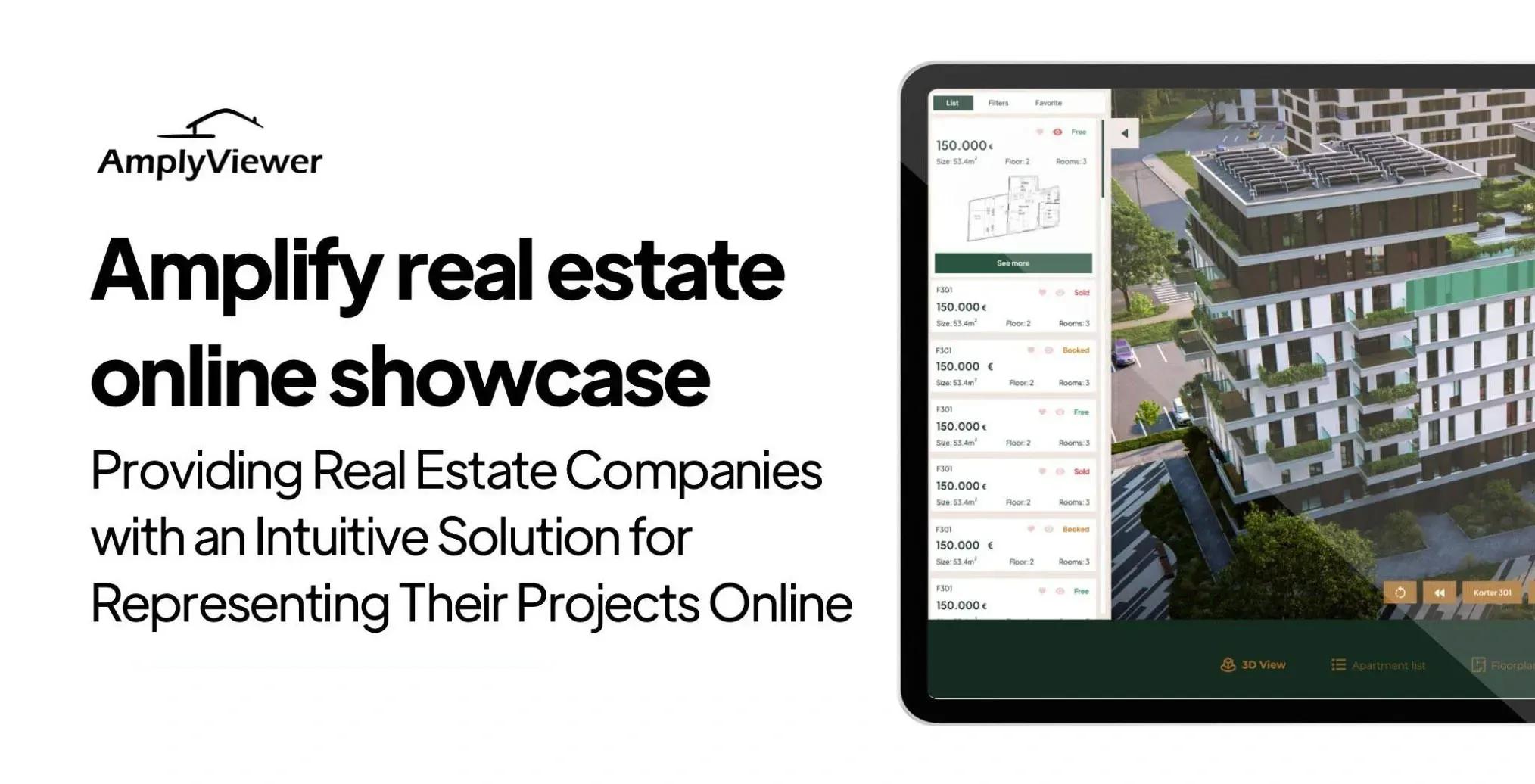
AmplyViewer is a web-embedded interactive viewer for properties. It sits inside a real estate website as a module, not a separate platform. A buyer clicks into it from the project page and can: rotate the building, pick a floor, pick an apartment, see its status (available, reserved, sold), open the floor plan, step inside the unit through panoramas or a 360 walkthrough, and inspect finishes and materials. The viewer pulls live unit data, such as price and availability, from a connected source (we use Airtable for most projects because it is fast to set up and the sales team can edit it without touching the website). The interactive layer is what the buyer sees. The data layer is what keeps it useful after launch.
What it is not: it is not a CAD tool, not a generic VR platform, and not a Matterport-style scan of an existing building. It is built for off-plan and architectural projects where the 3D model is the source of truth because the property does not exist yet. That is the use case I kept seeing in the developer projects coming through DignuzDesign, and it is the case AmplyViewer is shaped around.
The Real Reason Interactive 3D Earns Its Keep
Let me get the honest part out of the way first. The Harvard Business School working paper I linked above analyzed 75,178 home sales in greater Los Angeles between 2019 and 2021. After controlling for things like photo quality and listing description length, the researchers found that 3D virtual tours had a statistically insignificant effect on the final sale price. The price premium that earlier studies attributed to virtual tours was largely explained by the fact that sellers who paid for tours also paid for better photos and wrote longer, more thorough descriptions. The tour itself did not lift the price.
I cite this because the vendor pitch in this category usually leads with "sell for more." That is not what the data says, and I would rather build trust by telling you the truth. The price lift is a myth.
Where interactive 3D does earn its keep is engagement and velocity. The National Association of Realtors has tracked this for years: a majority of buyers say they want to see virtual tours and floor plans, but the supply of listings that actually include them is thin. Buyers stay longer on listings that have them, and the listings move faster, particularly when the property cannot be visited in person yet because it does not exist. For off-plan developments, that second point is the whole game. A buyer who is being asked to commit to a unit they cannot physically walk through is making a decision with thin information. The interactive viewer is what closes that information gap. The price did not change. The buyer's confidence did.
That distinction matters because it changes how you decide whether AmplyViewer is right for a project. If you are selling existing apartments where buyers can do an in-person viewing tomorrow, the calculus is different. If you are selling apartments that exist only as a 3D model on a hard drive, you need the buyer to be able to inhabit the building in their head before they sign. There is no substitute for that.
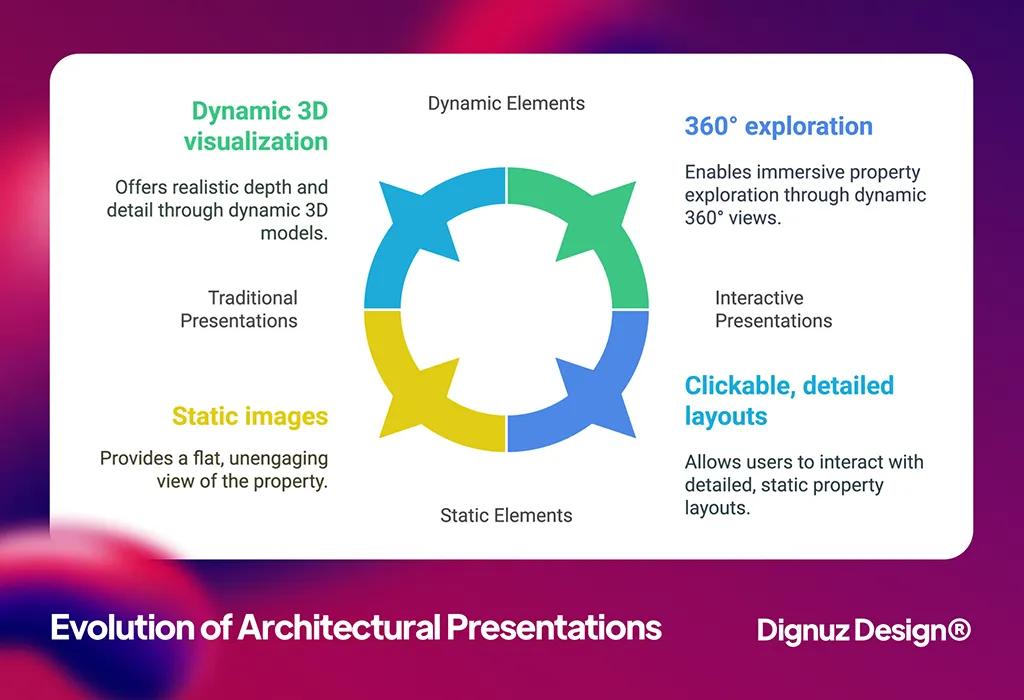
The Features That Actually Move The Needle
I want to be specific about which parts of the viewer do work and why, because I have built enough of these to know which features get used and which ones get ignored.
Apartment selector with live status
This is the single most important feature, and it is the one most developers underestimate at the start. A buyer wants to know what is available right now, on which floor, at what price. If your viewer shows them an apartment that was sold three weeks ago because someone forgot to update the website, you have lost trust on a detail that should never have been a detail. AmplyViewer pulls unit status from a connected data source so the sales team can mark a unit as reserved or sold the moment it happens, and the website reflects it without a developer touching the build. That seems mundane. It is not. It is the difference between a viewer that sales actually trusts and one they stop sending people to.
Panoramas before full walkthroughs
Full 360 walkthroughs are expensive to produce. Panoramas are cheaper, faster, and for most off-plan units they do the job. A buyer wants to see what the living room looks like from the kitchen side, what the view is from the master bedroom window, and roughly how the space feels. A still 360 panorama at the right vantage points covers that. I have shipped projects where we started with panoramas and added full walkthroughs later for the show units only. The conversion did not suffer for it. If a vendor tells you that every unit needs a full walkthrough, ask them whether they are billing per walkthrough.
Floor plans wired into the viewer
The single best moment in a buyer's session is when they click on the floor plan and the viewer rotates to show them where that room sits in the building. The floor plan stops being a static PDF and becomes a navigation tool. The drop-off rate on properties without this feature is much higher in the session recordings I have looked at. Buyers get confused about orientation, give up, and leave.
Material viewer for finishes
This one is a softer feature, but it earns its keep at the deposit conversation. Once a buyer has picked their unit and is choosing finishes, being able to swap kitchen worktops or floor materials inside the viewer reduces the back-and-forth with the developer's sales office. It also lets the developer charge for the upgrade options visibly, which is one of the few places interactive 3D does directly affect revenue per unit.
How To Set Up A Viewer That Performs
I want to walk through what actually goes into setting one of these up, because the difference between an AmplyViewer integration that converts and one that languishes is mostly in the setup, not the tool. There is one technical bullet list in this article, and this is it.
- Start with a clean 3D model. The building model needs to be optimised for web delivery, not for an architect's renderer. Heavy polygons and uncompressed textures will tank load times on mobile, and load time on mobile is where most buyers find the project. We optimise the model before it goes anywhere near the viewer, often reducing polygon counts by an order of magnitude without visible loss of quality.
- Decide what the data source is on day one. Whether you use Airtable, a custom CMS, or a direct feed from the sales platform, decide before you build. Retrofitting a data source after the viewer ships is painful and expensive. I push every client toward Airtable for the first project because the sales team can edit it themselves.
- Pick the camera positions deliberately. A bad camera angle inside a unit is worse than no camera at all because it makes the room look smaller than it is. We pick angles from the doorway looking in, never from the corner looking out, and we use the natural light direction to flatter the space.
- Wire the viewer into the lead form. The whole point is to capture interest at the moment of peak engagement, which is the moment the buyer has just spent four minutes inside their preferred unit. A "request information" button on the unit screen, pre-filled with the unit number, converts far better than a generic contact form on the project page.
💻 Let us help you create a stunning online showcase for your projects that works seamlessly across all devices. Ready to amplify your real estate business? 👉 Explore AmplyViewer now
Common Mistakes I See Developers Make
Three patterns come up repeatedly when I am called in to fix an interactive viewer that is not working.
The first is treating the viewer as a one-time launch asset. The viewer goes live with the project, the marketing team moves on, and six months later half the units are sold but the viewer still shows them as available. The data layer dies first, and once it is wrong twice, the sales team stops sending buyers to it. The viewer becomes a dead pixel on the website. The fix is to treat the data layer as a live operations tool, not a marketing artefact. The Airtable approach makes this easier because the sales coordinator can update unit status as they take a deposit, in the same five minutes they were updating their own spreadsheet anyway.
The second is over-engineering the visuals at the expense of the load time. I have inherited projects where the developer paid a 3D studio for a model so detailed that the viewer takes 18 seconds to load on a mid-range phone. The buyer is gone by second six. Photoreal is not the goal. Believable and fast is the goal. I have written about this trade-off in more depth in my piece on 2D vs 3D design, which goes into the cost and performance considerations for property visuals.
The third is hiding the viewer behind a form gate. I understand the impulse - the developer wants lead capture before they let the buyer "see the goods." But the data is consistent across every session I have analysed: the gate cuts engagement in half and the leads you do capture are not better. Put the viewer in front of the form. Capture interest after the buyer has decided which unit they want. That is the conversation worth having.
Measuring What Matters
If you take only one thing from this guide, take this: the metric that matters for an interactive property viewer is not "how many people opened it." It is "how many people opened it, picked a specific unit, and spent more than two minutes inside that unit." That is the engagement signal that correlates with deposits.
We instrument every AmplyViewer integration to track per-unit dwell time, click-through to the lead form, and the path the buyer took through the viewer. A buyer who opens the viewer, picks a top-floor unit, opens the floor plan, steps into the panorama, and then clicks the lead form is a buyer who is converting in their own mind already. Your sales team should know about that lead within the hour. The viewer is the lead qualifier, not just the showcase. For a wider view of which website features earn their keep across a developer's site, I have written separately on interactive ways to showcase properties and on how immersive 3D experiences feed real estate sales.
One pattern is worth flagging from NAR's reporting on virtual showings: a small but persistent percentage of buyers will commit to a property based on the digital experience alone, without visiting in person. For off-plan projects with international buyers, that percentage is materially higher. The interactive viewer is what unlocks those buyers. Architecture and visualisation studios working at the high end already know this; my notes on architect digital marketing cover how that buyer profile reads digital presentations differently from a domestic walk-in.
Where AmplyViewer Fits Inside The Wider Marketing Setup
AmplyViewer is one piece of a developer's marketing stack, not the whole stack. It sits inside the project website, which sits inside the developer's brand presence, which sits inside the broader content and lead generation effort. I usually pair an AmplyViewer integration with a tightly designed project landing page, supporting renderings produced through real estate 3D rendering services, and a structured lead handoff into the sales CRM. If any of those three are broken, the viewer cannot save the project on its own. I have also written a working playbook on how to create a real estate presentation that complements the digital viewer for in-person sales meetings.
The view from inside two studios - one doing the websites, one doing the 3D - is that the bottleneck in most developer marketing is not the quality of any single asset. It is the integration between them. A beautiful render that is not linked to the unit picker, a unit picker that is not linked to the data source, a data source that is not linked to the lead form, a lead form that does not tell the sales team a buyer just spent four minutes inside unit 5B - that is where the conversion leaks. AmplyViewer is built to close those gaps, but the studio work around it is what makes it tick.
Frequently Asked Questions
Do I need 3D models of every apartment, or can I use one model for similar units?
You can re-use a model across similar unit types and most developers do, which is also how the production cost stays reasonable. A typical mid-sized building has three to six unique unit types, not 60 unique unit models. The exterior building model is the bigger investment. The unit interiors are usually re-skinned variants. For sales purposes, this is fine - buyers understand that "Type A units" all share the same layout, and the panoramas can be lightly differentiated to reflect orientation and view.
How long does an AmplyViewer integration take from kickoff to launch?
Six to ten weeks for a typical mid-sized off-plan project, assuming the 3D models are either already produced or being produced in parallel by the architectural visualisation team. The viewer itself is fast to integrate; the slow part is producing the building and unit models. If the models are already in hand, four weeks is realistic.
Does AmplyViewer work on mobile, or is this a desktop-only thing?
Mobile is the primary device for property browsing. The viewer is built to perform on mid-range phones, not just flagship devices. We test on real hardware, not just simulators, and we will reject a model that cannot hit a usable frame rate on a three-year-old Android. Mobile load time is the single most important performance constraint we work to.
Can I update unit prices and availability myself, or do I need a developer every time?
You update it yourself. The whole reason AmplyViewer is wired to Airtable on most projects is that the sales coordinator should not need to call me to mark a unit as sold. They open the spreadsheet, change the status, and the website reflects it. That is by design. A viewer that needs developer time to update is a viewer that goes stale within a month.
Is interactive 3D worth it for smaller developments, or only for large schemes?
It is worth it whenever buyers cannot walk through the property in person, regardless of scale. A small boutique development of eight units in a city centre often benefits more than a 300-unit suburban scheme, because the boutique price point demands a higher level of presentation and the audience is more likely to be international or remote. Scale is not the variable. Pre-completion is the variable.
How is AmplyViewer different from a Matterport tour?
Matterport scans existing physical spaces. AmplyViewer renders properties that do not yet exist physically. Those are different jobs. For a completed building or a show flat, Matterport or a similar scanner does the job. For off-plan, scanning is not an option because there is nothing to scan. The 3D model is the source of truth and AmplyViewer is built around that constraint.
Where To Go From Here
If you are a developer or architect with an upcoming project and you are weighing how to present it online, the honest first step is to look at your own buyer journey. If most of your buyers can walk through the property tomorrow, an interactive viewer is a nice-to-have. If they cannot - because the property does not exist yet, because the buyers are international, or because the development is selling off-plan - then the viewer is closing a real information gap and is worth the investment. You can see a live example on the AmplyViewer portfolio piece, or get in touch through the product page if you want to talk through whether it fits your project.
The honest version of the pitch is this: it will not lift your price. It will move your units faster, capture better-qualified leads, and let you close buyers you would otherwise lose because they could not understand the building. For off-plan, that is the trade you want.



