Discover Why It's Useful to Learn HTML Now

I have spent the last few years building real estate and architect websites on a stack of Astro, Webflow, Svelte, and Cloudflare. That means I look at a lot of HTML. Most of it I did not write personally. Some of it was generated by a framework, some by a no-code builder, some by an LLM. All of it shipped to real visitors, and some of it lost real money because it was wrong in subtle ways that only HTML literacy catches.
The question "should I learn HTML" sounds quaint in a world where AI can produce entire marketing pages in seconds. I want to argue the opposite. Learning HTML has become more valuable, not less, because almost nobody reviews what these systems emit, and the gap between HTML that works and HTML that quietly breaks is now where most production problems live. If you want the longer context on this, I covered the same tension in an earlier piece on HTML's relevance in modern web development, but the short version is below.
What AI-generated markup still gets wrong
If you have pasted "generate a hero section for a real estate site" into an LLM recently, you already know what comes back. A big <div> wrapping another <div> wrapping a heading that is styled to look like an H1 but is actually a <p> with a class of text-5xl. A "Contact us" button that is really an <a> with role="button". An image with alt="image" or no alt at all.
This is not an occasional failure mode. The 2025 WebAIM Million report, which audits the top one million homepages every year, found that 94.8 percent of them still fail WCAG 2 A/AA conformance, and six recurring issues account for 96 percent of all detected errors. The top two are low-contrast text and missing alt text. Both live in HTML and CSS decisions humans make. LLMs trained on the same broken web reproduce them faithfully.
The practical consequence: if you cannot read markup, you cannot tell whether what an AI handed you is shippable. You see a rendered preview that looks correct. You do not see that the page has six <h1> elements, that the contact form uses <div> buttons with click handlers instead of <button> elements, or that the property gallery relies entirely on onclick and breaks for anyone using a screen reader. By the time a client asks why their new site feels "weird on iPad" or why their search rankings tanked after relaunch, it is usually HTML debt that is to blame.
The HTML5 doctype adoption curve tells the same story. Ninety-two percent of homepages now declare <!DOCTYPE html>, up from 79 percent in 2021. The easy wins are spreading. The hard parts, which require reading and reasoning about semantic structure, are not.
HTML is the compile target everyone ignores
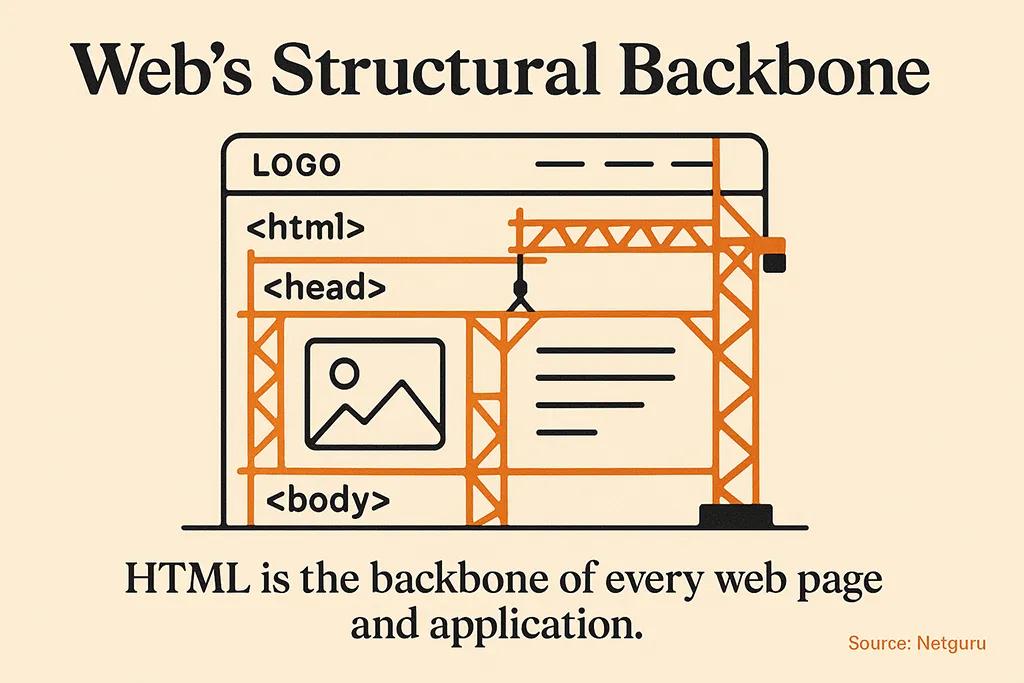
The interesting thing about the modern web stack is that no matter how you build a site, the browser receives HTML. React compiles to HTML. Svelte compiles to HTML. Webflow publishes HTML. Astro generates HTML, usually with as little JavaScript as possible. Even a no-code builder is a GUI for producing HTML you did not write.
Astro's own documentation puts this directly: "If you know HTML, you already know enough to write your first Astro component." That is not marketing copy. The .astro file format is literally a superset of HTML. If you can read a <section> with nested <article> elements, you can read and modify an Astro component. If you cannot, you are renting your own frontend, and every change goes back through the person who built it. I wrote a beginner's guide to Astro that walks through this in more detail.
The same is true of Webflow. I pick Webflow for clients who want to edit content themselves, and I can tell within ten minutes of the discovery call whether they will get value from it. The test is not "can they use a GUI." Plenty of people can use Figma. The test is "do they understand that an H2 inside an <article> is different from an H2 inside a <div>." Clients who get this use Webflow to ship. Clients who do not end up pasting styled text into the wrong containers and then wondering why the page looks broken after publish.
For developers, the payoff is larger. Once you can read HTML confidently, framework choice becomes pragmatic instead of mystical. You evaluate Astro for content sites because you can see it ships less markup. You evaluate Svelte for interactive components because you can see the compiled output. You evaluate Next.js for specific cases and reject it for others. The meta-skill is not any single framework. It is the ability to reason about what ends up in the browser.
Where HTML literacy moves the needle on real projects
On a luxury real estate site, the difference between a 92 Lighthouse score and a 68 Lighthouse score is often ten lines of HTML. A <picture> element with a proper srcset instead of a bare <img>. A <link rel="preload"> for the hero image. A loading="lazy" on below-the-fold galleries. decoding="async" on everything that is not critical. None of these are exotic. All of them require you to read markup and think about what the browser does with it.
The 2025 HTTP Archive Web Almanac shows this gap in aggregate. The native <main> element, which gives assistive technology and search engines a clean anchor for primary content, now appears on 47 percent of analyzed pages. Seventy percent of pages have an H1, but only 66 percent of those H1 elements actually contain text. Roughly one in twenty sites is shipping a broken heading hierarchy before anyone even styles it.
Semantic HTML is not a nice-to-have on the kind of sites I build. Google's site quality signals reward structure. A property listing page with <article> elements wrapping each unit, <address> elements inside, and a clear <h2> for the listing name performs measurably better in search than the same visual page built with nested divs. On client sites where a single search placement can be worth tens of thousands in commissions, this is not an academic point.
Accessibility is the same story. The WebAIM data is blunt about the cost of ignoring it: the average homepage now has 51 distinct accessibility errors across 1,257 total elements. That is five errors per hundred elements, every one of them a potential compliance issue under the European Accessibility Act and a guaranteed conversion loss for the 15 percent of users with some form of disability. Real estate sites in particular cannot afford to exclude buyers using screen readers, larger text settings, or keyboard navigation.
A learning path that actually works
Most "learn HTML" articles recommend the same list of tools: Visual Studio Code, freeCodeCamp, MDN. These are all fine, but they are not a plan. A plan is a sequence of problems you can solve.
Here is the sequence I would follow if I were starting today and had a real goal, not just a credential.
Start by building one static page by hand. A property listing for a fake apartment, with a title, hero image, description, price, gallery, and contact form. Do not use a framework. Do not use Tailwind. Write the HTML in a single file. Open it in a browser. Pay attention to what the browser gives you for free when you use the right element: <form> submits, <a> is keyboard-navigable, <button> announces itself to screen readers.
Once that page works, validate it. Run it through the W3C validator. Run it through a free accessibility checker like axe DevTools. Fix every error the tools surface. This step is where real learning happens, because the error messages will be specific and the fixes will teach you more than any tutorial chapter.
Then, and only then, layer CSS on top. I wrote a beginner's guide to linking CSS to HTML that covers the mechanics, but the point of the exercise is to keep the two files honest about their roles. HTML is structure. CSS is presentation. When you find yourself reaching for <div> because you cannot think of a better element, stop and name what the thing actually is.
Finally, pick a framework and see how it treats HTML. If you want a content-driven site, try Astro. The learning curve is almost nothing for anyone who already knows HTML, and the output is clean and fast. If you want a visual tool, try Webflow. In both cases, inspect the emitted HTML and compare it to what you would have written by hand. The gaps will tell you a lot about the framework's philosophy.
This is not a fast path. It is a path that produces developers who can hold their own in a code review and designers who can explain to a client why a specific change is worth doing. I would rather hire someone who has built three pages this way than someone who has finished five tutorials.
Who should skip this
I am supposed to tell you that everyone should learn HTML. I will not. If your goal is to have a website and you do not want to touch code, hire someone who can read HTML for you, and pay them for an audit at handover. The worst outcome is the middle: enough HTML to ship a page, not enough to know what you shipped.
If you are a real estate agent choosing a website provider, you do not need to learn HTML. You need to hire a developer or use a platform whose defaults are reasonable. Ask the provider to show you a Lighthouse score and the markup output on a staging page. If they cannot or will not, that is your answer.
If you are a designer who works with developers, you do need to learn HTML. Not because you will write production code, but because it changes every handoff conversation. A designer who understands document structure produces designs that survive implementation. A designer who does not ends up fighting the same battles about headings, hover states, and focus rings on every project.
If you plan to build things on the web for a living, you need to learn HTML to a depth most tutorials do not reach. You need to write it from memory, debug it in DevTools, and argue about it in a review. You will be more valuable than a developer who skipped it, because you will ship fewer bugs and cleaner performance. If you want a broader roadmap for how this fits into learning to code in general, our piece on real estate website speed optimization shows how this plays out on the performance side of a live project.

Frequently asked questions
Is learning HTML still worth it if AI can generate it?
Yes, and the reasoning is the opposite of what most people expect. AI can generate HTML quickly, but it cannot tell you whether the output is semantically correct, accessible, or appropriate for your use case. Someone on your team has to make that call. If that someone does not know HTML, the quality ceiling of your site is whatever the model happens to produce on the day you prompted it.
How long does it take to learn enough HTML to be useful?
For basic literacy, a focused weekend. You can cover the 25 or so elements that actually matter in a few hours. To be comfortable debugging and writing production markup, plan on a month of real projects. Beyond that, the learning is spread across years of shipping sites and running into edge cases.
Do I need to learn HTML before CSS and JavaScript?
Yes, though not by much. You can spend your first day on HTML, your second on basic CSS, and your third combining them. Trying to skip HTML and go straight to a framework like React is a well-documented way to get stuck, because frameworks assume you understand what they are producing.
Is HTML a programming language?
No, HTML is a markup language. The distinction matters because HTML does not have control flow, variables, or functions the way JavaScript or Python do. What it does have is semantics: each element communicates meaning to browsers, search engines, and assistive technology. I covered this in more depth in a separate article on why HTML is not considered a programming language.
What is the fastest way to know if my HTML is good?
Open the browser's DevTools, run Lighthouse against your page, and pay attention to both the Performance and Accessibility scores. Then run the page through the WAVE extension or axe DevTools. If both sets of tools come back clean, your HTML is probably fine. If they do not, the errors will point you exactly at what to learn next.
The bottom line
Learning HTML is not a nostalgia project. It is what separates people who control the output of their tools from people who trust whatever the tool decided to emit. For anyone building real websites for real businesses, that control is the whole difference between a site that works and a site that looks like it works. The investment is small. The leverage, at every layer above it, is large.



