TypeScript Best Practices: Expert Tips for Writing Clean, Scalable Code

Hey there, developers! 👋 Are you tired of hunting down mysterious TypeScript bugs at 2 AM, wondering why your "perfectly good" code is throwing tantrums? We get it. TypeScript promises to make your JavaScript more reliable, but without proper practices, it can feel like you're wrestling with an overly picky grammar teacher. The good news? You're about to master the art of writing TypeScript that's not just functional, but downright elegant.
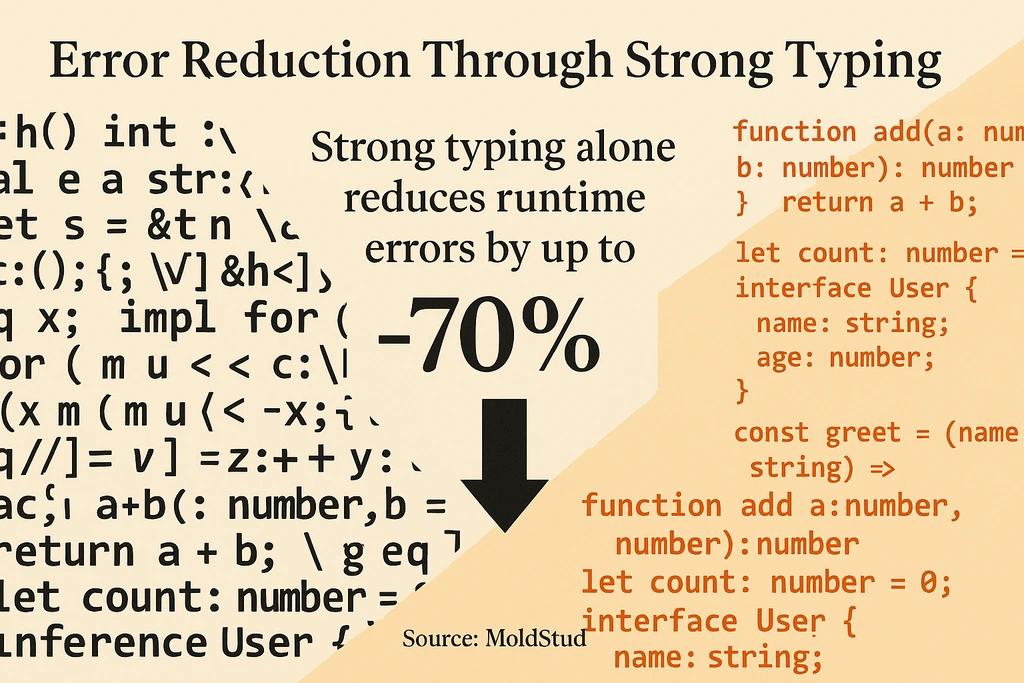
At DignuzDesign, we work with developers daily who want to build robust, maintainable applications - especially when creating custom web solutions for our real estate clients. We've seen firsthand how proper TypeScript practices can transform a chaotic codebase into something beautiful and scalable. Strong typing alone reduces runtime errors by up to 70% (Source: MoldStud), making it a foundational element for any serious development project.
This guide covers the essential TypeScript practices we use in our own development workflow - from leveraging the type system effectively to organizing projects that scale gracefully. You'll discover practical tips for writing cleaner code, common pitfalls to sidestep, and real-world strategies that'll make your future self thank you. Plus, we'll show you how these practices apply whether you're building a simple website or a complex application like our AmplyViewer platform.
Master TypeScript's Type System
The type system is TypeScript's superpower - but only if you use it correctly! Think of types as your code's safety net. When you embrace strong typing practices, you're essentially building guardrails that catch mistakes before they reach production. That 70% error reduction we mentioned earlier isn't just a nice-to-have; it's the difference between confident deployments and sleepless nights.
The biggest mistake we see developers make? Reaching for the `any` type whenever they hit a roadblock. Sure, it feels like taking the easy route, but you're essentially telling TypeScript to stop helping you. Instead, take advantage of TypeScript's inference capabilities and be explicit where it matters most.
Variable Declaration:
- Good Approach: Let TypeScript infer from initial value
- Why It Matters: Cleaner code without sacrificing safety
Function Returns:
- Good Approach: Explicit return types for public APIs
- Why It Matters: Better documentation and error catching
Complex Data:
- Good Approach: Use discriminated unions with type guards
- Why It Matters: Improved IDE support and runtime safety
Third-party Libraries:
- Good Approach: Create custom type definitions if needed
- Why It Matters: Maintains type safety throughout your app
Leverage Type Inference Smartly
Type inference is like having a really smart assistant who knows what you need before you ask. TypeScript's inference engine is incredibly sophisticated (Source: MoldStud), so don't fight it with unnecessary explicit types everywhere. When you declare `const userName = "john"`, TypeScript already knows it's a string - no need to spell it out.
However, be explicit where it adds value. Function parameters and return types for your public API should always be explicit. This makes your code self-documenting and helps your team understand interfaces at a glance. Here's how we approach it in our projects:
- Let TypeScript infer simple variable types from initialization
- Always type function parameters explicitly
- Add explicit return types for complex functions
- Use type assertions sparingly and with good reason
Discriminated Unions and Type Guards
When building applications that handle different data shapes - like our real estate showcase platform handling various property types - discriminated unions become incredibly powerful. They tell TypeScript exactly what shape your data can take, enabling better autocompletion and catching shape mismatches early.
Here's a practical example from our work with property data:
type PropertyData =
  | { type: 'residential'; bedrooms: number; bathrooms: number }
  | { type: 'commercial'; sqft: number; zoning: string }
  | { type: 'land'; acres: number; buildable: boolean };

function renderPropertyDetails(property: PropertyData) {
  if (property.type === 'residential') {
    // TypeScript knows this has bedrooms and bathrooms
    return `${property.bedrooms}bd/${property.bathrooms}ba`;
  }
  if (property.type === 'commercial') {
    // TypeScript knows this has sqft and zoning
    return `${property.sqft} sqft, ${property.zoning} zoning`;
  }
  // TypeScript knows this must be land type
  return `${property.acres} acres, ${property.buildable ? 'buildable' : 'non-buildable'}`;
}
Design Clean Interfaces and Types
Interfaces are like blueprints for your data structures - they need to be clear, purposeful, and well-documented. We've learned from working on complex web applications that well-designed interfaces are the foundation of maintainable TypeScript code. When your interfaces clearly communicate intent, new team members can understand your data structures instantly.
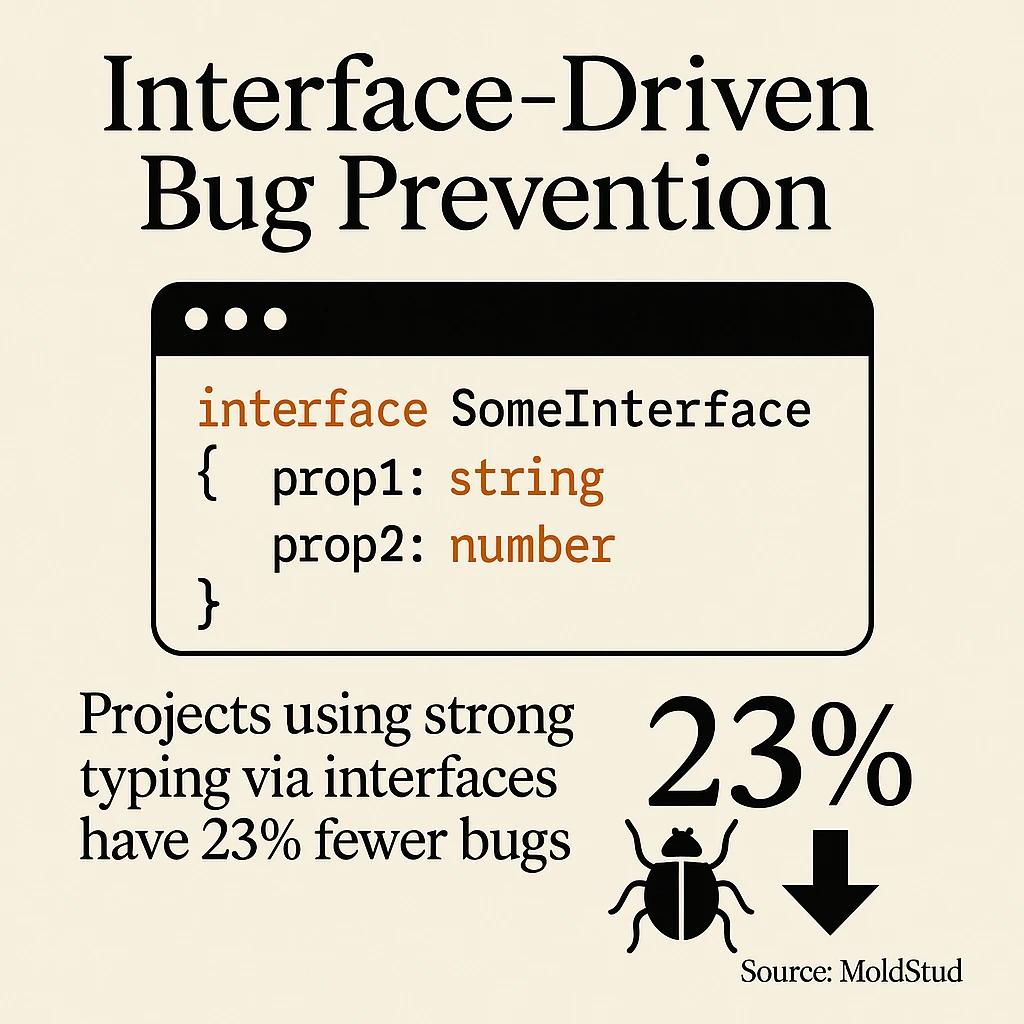
The key is striking the right balance between flexibility and specificity. Projects using strong typing via interfaces have 23% fewer bugs (Source: MoldStud), which makes this one of the highest-impact practices you can adopt. But it's not just about fewer bugs - it's about creating code that tells a story.
Naming:
- Best Practice: Descriptive, avoid prefixes like 'I'
- Example: UserProfile instead of IUser
Optional Properties:
- Best Practice: Use sparingly, document when optional
- Example: email?: string // Optional for guest users
Extending:
- Best Practice: Prefer extension over duplication
- Example: interface AdminUser extends UserProfile
Documentation:
- Best Practice: JSDoc comments for complex interfaces
- Example: /** Represents authenticated user data */
Write Self-Documenting Interfaces
Your interfaces should read like a conversation with your future self. When we're building custom websites for real estate clients, we might have dozens of different data types - property listings, user profiles, search filters, and more. Each interface needs to tell its story clearly.
Here's how we approach interface design for maximum clarity:
/**

* Represents a complete property listing in our system.

* Used throughout the application for display and filtering.

*/

interface PropertyListing {

id: string;

title: string;

description: string;

price: number;

currency: 'USD' | 'EUR' | 'GBP'; // Explicitly limit currency options

location: {

street: string;

city: string;

state: string;

zipCode: string;

};

features: PropertyFeature[]; // Defined elsewhere

images: PropertyImage[]; // Array of image metadata

createdAt: Date;

updatedAt: Date;

isActive: boolean;

// Optional for new listings not yet reviewed

approvalStatus?: 'pending' | 'approved' | 'rejected';

}
Optional Properties Strategy
Optional properties can be tricky. Use them thoughtfully - every optional property should have a clear reason for being optional. In our property management applications, we might make certain fields optional during the creation phase but required once a listing goes live. Document these business rules directly in your types.
Consider creating separate interfaces for different lifecycle states rather than making everything optional. For example, `DraftProperty` might have many optional fields, while `PublishedProperty` requires them all. This approach makes your intentions crystal clear and catches incomplete data early.
Organize Projects for Scale
Project organization might not seem exciting, but it's what separates hobbyist code from professional applications. When we're building complex web solutions - whether it's a simple backend API or a full-featured application with our AmplyViewer technology - proper organization makes the difference between a project that grows gracefully and one that becomes unmaintainable.
The beauty of TypeScript is that it encourages good organizational patterns. When your types are well-organized, your entire project follows suit. We've found that organizing code into clear modules and namespaces (Source: Netguru) facilitates scalability and separation of concerns - especially important as projects grow larger.
Directory Structure That Makes Sense
Your folder structure should tell the story of your application. We typically organize TypeScript projects with clear separation between different concerns. Here's an approach that's served us well across various client projects:
- Keep related types close to where they're used
- Create shared type libraries for cross-cutting concerns
- Use index files to create clean import statements
- Separate API types from internal implementation types
- Group utilities and helpers in dedicated directories
/src/types
- Purpose: Shared type definitions
- Example Contents: User.ts, Property.ts, APIResponse.ts
/src/components
- Purpose: UI components with local types
- Example Contents: PropertyCard.tsx, PropertyCard.types.ts
/src/services
- Purpose: API and business logic
- Example Contents: PropertyService.ts, UserService.ts
/src/utils
- Purpose: Helper functions and utilities
- Example Contents: formatters.ts, validators.ts
Naming Conventions That Stick
Consistency in naming isn't just about looking professional - it's about reducing cognitive load. When everyone on your team knows that all type files end with `.types.ts` and all interfaces use PascalCase, decision-making becomes automatic. This is especially important when working with frameworks like Next.js or NestJS, where conventions really matter.
Establish these conventions early and document them. We maintain a simple style guide for each project that covers naming patterns, file organization, and import strategies. It takes five minutes to create but saves hours of discussion and refactoring later.
Essential Tooling and Automation
Great TypeScript development isn't just about writing good code - it's about setting up systems that help you write good code consistently. Think of your tooling setup as your development safety net. The right tools catch mistakes before they become problems and enforce consistency across your entire team.
Integrating ESLint with TypeScript plugins and Prettier into your workflow (Source: Netguru) helps enforce style consistency and catch common mistakes automatically during development. This isn't just about perfect formatting - it's about creating a development experience that guides you toward better practices.
ESLint and Prettier Configuration
Setting up ESLint with TypeScript isn't just about catching syntax errors - it's about encoding your team's best practices into automated rules. We recommend starting with the TypeScript ESLint recommended configuration and then customizing based on your specific needs.
Here's our typical ESLint setup for TypeScript projects:
Type Safety
- Key Rules: @typescript-eslint/no-explicit-any
- Why It Matters: Prevents undermining type safety
Code Quality
- @typescript-eslint/prefer-constKey Rules:
- Why It Matters: Encourages immutable variables
Consistency
- Key Rules: @typescript-eslint/naming-convention
- Why It Matters: Maintains consistent naming patterns
Performance
- Key Rules: @typescript-eslint/prefer-readonly
- Why It Matters: Optimizes object property access
Visual Studio Code Setup
If you're not using Visual Studio Code for TypeScript development, you're missing out on an incredible development experience. The TypeScript support is built-in and incredibly robust, giving you inline documentation, intelligent autocompletion, and immediate error feedback.
Our recommended VS Code extensions for TypeScript development include the official TypeScript Hero extension, ESLint integration, and Prettier formatting. These tools work together to create a development environment that guides you toward better code practices automatically.
- Enable TypeScript strict mode in your tsconfig.json
- Set up automatic formatting on save with Prettier
- Configure ESLint to run in the editor with real-time feedback
- Use TypeScript's built-in refactoring tools for safe code changes
Common Pitfalls and How to Avoid Them
Even experienced developers fall into TypeScript traps - trust us, we've been there! The most dangerous mistakes are often the ones that seem harmless at first. Understanding these common pitfalls and having strategies to avoid them can save you from debugging sessions that stretch into the early morning hours.
From our experience building applications for clients ranging from simple websites to complex platforms, we've seen these patterns repeat across different projects and teams. The good news? Once you know what to watch for, these issues become easily avoidable.
The "Any" Trap
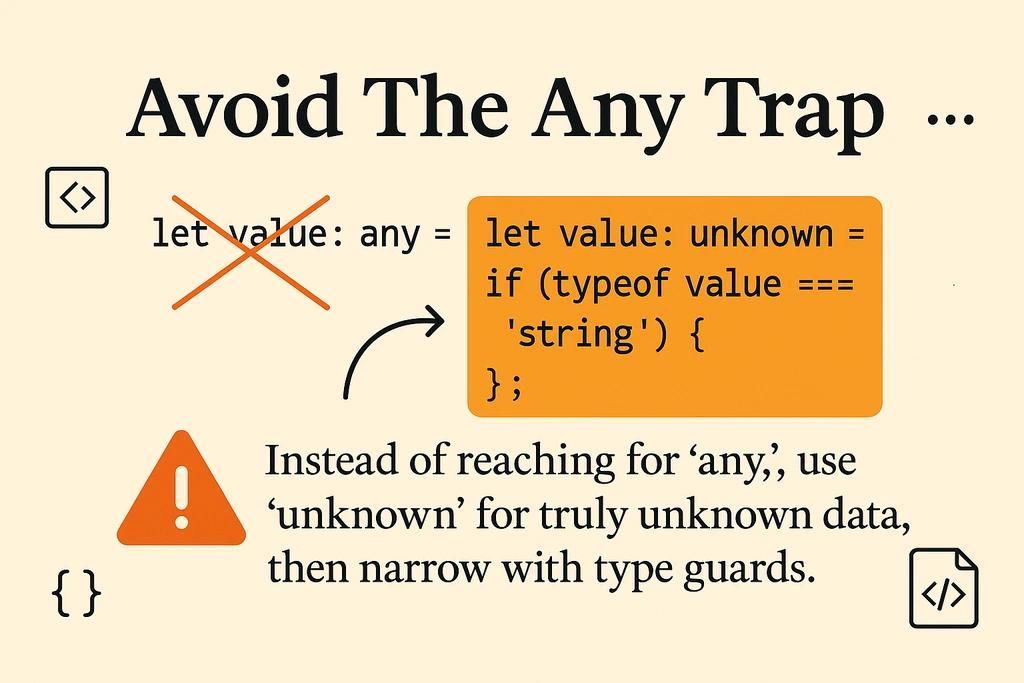
Using `any` is like disabling TypeScript's safety features just when you need them most. We've seen codebases where `any` creeps in gradually - first for "just this one tricky API response," then for "this complex library," until eventually you're back to writing JavaScript with extra syntax.
Instead of reaching for `any`, try these alternatives:
- Use `unknown` for truly unknown data, then narrow with type guards
- Create union types for multiple possible shapes
- Write custom type definitions for third-party libraries
- Use generic constraints to maintain type safety in flexible functions
API Response
- Don't Use: response: any
- Use Instead: response: unknown, then type guard
Multiple Types
- Don't Use: value: any
- Use Instead: value: string | number | boolean
Third-party Library
- Don't Use: lib: any
- Use Instead: Create custom .d.ts definitions
Complex Object
- Don't Use: obj: any
- Use Instead: Define proper interface structure
Type Definition Maintenance
One of the sneakiest problems we encounter is when type definitions drift away from reality. Your API changes, but your TypeScript interfaces don't get updated. Suddenly, your "type-safe" code is working with outdated assumptions, and those runtime errors start creeping back in.
This is especially important when working on projects that integrate with external APIs or services. In our real estate applications, property data structures can evolve as business requirements change. Keeping types synchronized with actual data requires discipline and good processes.
Overusing Generics
Generics are powerful, but they can also make your code unnecessarily complex. We've seen developers create generic functions for simple operations that would be clearer with explicit types. The rule of thumb? Use generics when you genuinely need the flexibility across multiple types, not just because it seems more "advanced."
A good generic adds flexibility without sacrificing clarity. If you find yourself writing complex constraint chains or your generic parameters need extensive documentation to understand, consider whether explicit types would be simpler and clearer for your use case.
Performance and Scalability Considerations
TypeScript's impact on performance happens at two levels: compile-time and runtime. Understanding both aspects helps you make informed decisions about how to structure your code for optimal performance. When we're building applications that need to handle thousands of property listings or complex 3D visualizations, these considerations become critical.
The beautiful thing about TypeScript is that good practices often align with good performance. Code that's well-typed tends to be more predictable for both developers and JavaScript engines. Modern TypeScript versions have significantly improved compilation performance (Source: GeeksforGeeks), making it feasible to use even in large-scale applications.
Compilation Performance
Large TypeScript projects can have slow compilation times if not structured thoughtfully. This affects your development experience and build pipelines. We've learned several strategies to keep compilation snappy even as projects grow:
Incremental Compilation
- Impact: 50-80% faster rebuilds
- Implementation: Enable "incremental": true in tsconfig.json
Project References
- Impact: Parallel compilation
- Implementation: Split large projects into referenced modules
Skip Library Checks
- Impact: Faster initial compilation
- Implementation: Set "skipLibCheck": true for production
Targeted Builds
- Impact: Build only what changed
- Implementation: Use build tools that understand TypeScript dependencies
Runtime Performance Impact
TypeScript compiles to JavaScript, so your runtime performance depends largely on the JavaScript you generate. However, certain TypeScript patterns can influence the quality of generated code. Enum usage, for example, can generate more or less efficient JavaScript depending on how you define them.
When working with performance-critical applications - like our real-time property visualization tools - we pay attention to how TypeScript features translate to runtime code. String literal types often generate more efficient code than complex union types with runtime checks.
Memory Considerations for Large Applications
Type definitions themselves don't impact runtime memory, but the patterns they encourage can. We've found that well-structured types often lead to more memory-efficient code because they encourage clear ownership of data and reduce unnecessary object creation.
For applications handling large datasets, like property listings with extensive metadata, consider how your type definitions influence data structure choices. Sometimes a more specific type can guide you toward a more efficient data representation.
Integration with Modern Frameworks
TypeScript truly shines when integrated with modern frameworks and build tools. Whether you're building with React, working with NestJS for backend development, or using Webflow for custom integrations like we do at Dignuz Design, TypeScript provides the type safety that makes large applications manageable.
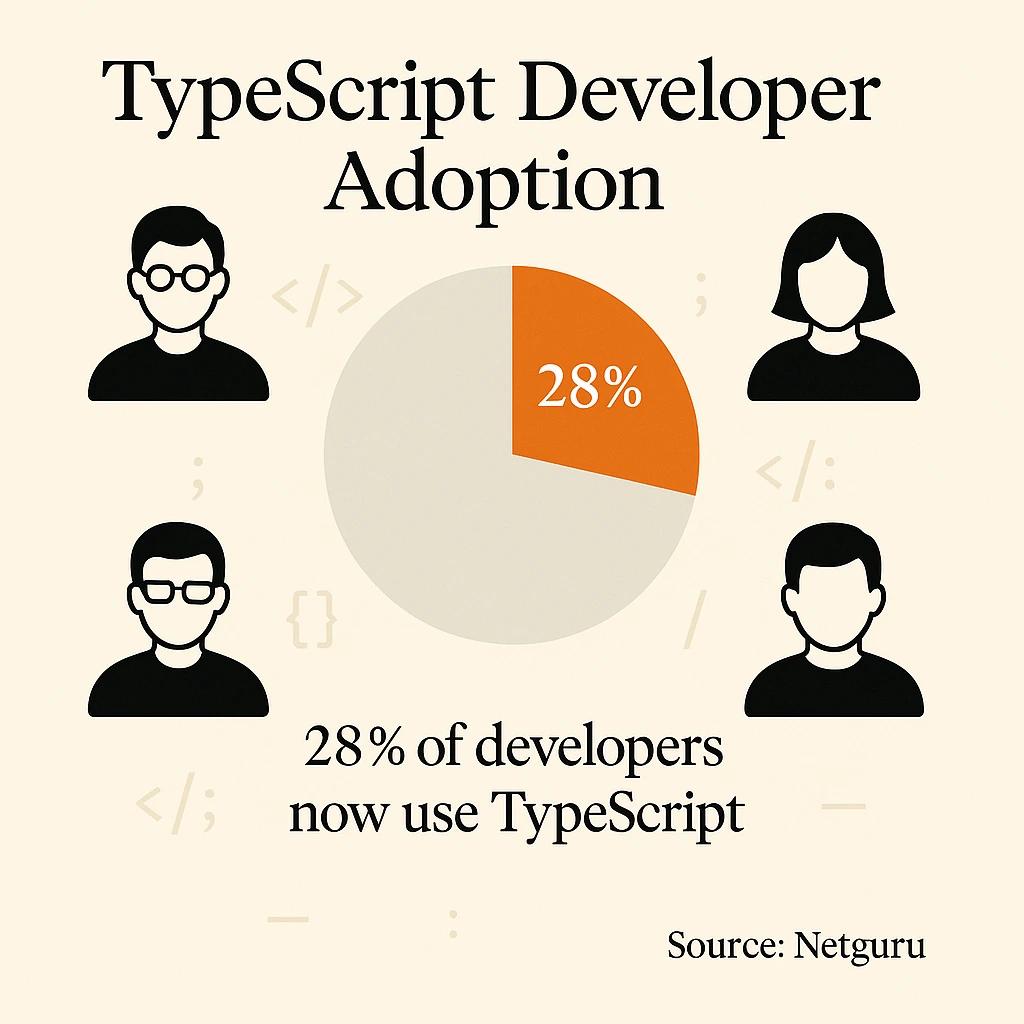
The key to successful framework integration isn't just enabling TypeScript support - it's understanding how each framework's patterns work best with TypeScript's type system. 28% of developers now use TypeScript (Source: Netguru), reflecting its growing role in maintainable software development practices.
React and TypeScript Harmony
React and TypeScript work beautifully together when you understand the patterns. Component props become self-documenting, hooks can be properly typed, and complex state management becomes much more predictable. We use this combination extensively when building custom interfaces for our real estate clients.
Here's how we approach React component typing in our projects:
interface PropertyCardProps {

property: PropertyListing;

onSelect: (id: string) => void;

isSelected?: boolean;

className?: string;

}

const PropertyCard: React.FC<PropertyCardProps> = ({

property,

onSelect,

isSelected = false,

className = ''

}) => {

const handleClick = useCallback(() => {

onSelect(property.id);

}, [property.id, onSelect]);

return (

<div

className={`property-card ${isSelected ? 'selected' : ''} ${className}`}

onClick={handleClick}

>

<h3>{property.title}</h3>

<p>${property.price.toLocaleString()}</p>

</div>

);

};
Backend Integration Patterns
On the backend side, TypeScript excels at API development and data validation. When we're building APIs that serve our property visualization tools, TypeScript helps ensure that our API contracts match our frontend expectations exactly. This eliminates the common disconnect between backend and frontend teams.
Tools like NestJS are built with TypeScript-first approaches, making them excellent choices for teams that want end-to-end type safety. The decorator patterns and dependency injection work seamlessly with TypeScript's type system.
Build Tool Configuration
Modern build tools like Vite, Webpack, and esbuild have excellent TypeScript support out of the box. The key is configuring them to enforce your type checking during development while optimizing for fast builds in production.
We typically set up our build pipeline to fail on TypeScript errors in CI/CD but allow development servers to run with type errors for faster iteration. This gives developers immediate feedback without blocking their workflow during exploration phases.
Testing TypeScript Code Effectively
Testing TypeScript applications requires thinking about both runtime behavior and compile-time correctness. Your types themselves need validation, and your business logic needs thorough testing. We've found that well-typed code is actually easier to test because the types document the expected inputs and outputs clearly.
When building complex applications - whether it's a property management system or an interactive 3D visualization tool - comprehensive testing becomes essential. TypeScript's type system helps by catching certain categories of errors at compile time, but you still need robust runtime testing for business logic and integration scenarios.
Unit Testing with Type Safety
Popular testing frameworks like Jest and Vitest work excellently with TypeScript. The key is configuring them to understand your TypeScript configuration and provide meaningful type checking during test execution.
Test Setup
- TypeScript Advantage: Typed test fixtures
- Best Practice: Create factory functions with proper types
Mocking
- TypeScript Advantage: Type-safe mocks
- Best Practice: Use typed mock libraries like ts-jest
Assertions
- TypeScript Advantage: Compile-time assertion validation
- Best Practice: Leverage TypeScript's strictness in test files
Integration Tests
- TypeScript Advantage: Typed API contracts
- Best Practice: Share types between client and server tests
Type-Level Testing
Sometimes you need to test your types themselves - ensuring that complex generic functions or utility types work correctly across different inputs. Libraries like tsd allow you to write compile-time tests that verify your type definitions behave correctly.
This becomes especially valuable when you're building reusable libraries or complex type utilities that other team members will depend on. Type-level tests document expected behavior and catch regressions in type definitions.
End-to-End Testing Considerations
For end-to-end testing with tools like Playwright or Cypress, TypeScript provides better developer experience through autocompletion and type checking in your test files. Both tools have excellent TypeScript support that makes writing and maintaining E2E tests much more pleasant.
We configure our E2E tests to use the same TypeScript configuration as our main application, ensuring consistency and allowing us to share type definitions between application code and test code where appropriate.

Conclusion
Mastering TypeScript best practices isn't about memorizing every compiler flag or type utility - it's about developing instincts for writing code that's both safe and maintainable. The practices we've covered form the foundation of professional TypeScript development, from leveraging the type system effectively to organizing large projects successfully.
The best part? These practices compound over time. Every well-defined interface makes the next one easier to write. Every type guard you implement makes your application more robust. Every ESLint rule you configure saves time on future code reviews. As we've seen in our work at Dignuz Design, teams that adopt these practices early see immediate benefits in code quality and developer productivity.
TypeScript development is a journey, not a destination. Start with the fundamentals - strong typing, clear interfaces, and good tooling - then gradually adopt more advanced patterns as your projects grow in complexity. Whether you're building a simple website or a sophisticated application like our AmplyViewer platform, these practices will serve you well.
What's your next step? Pick one area where your current TypeScript setup could improve - maybe it's adding stronger types to API responses, or setting up better ESLint rules. Small, consistent improvements in your development practices lead to significant long-term benefits. Your future debugging sessions will thank you! 🚀



