Real Estate Marketing Apps: A Practitioner's Honest Stack

Every quarter, a developer or agency owner shows me a screenshot of their software bill and asks what they can cut. The list is always the same shape: a CRM, an email tool, a social scheduling app, a chatbot, a landing page builder, a virtual tour subscription, two analytics dashboards, and something they signed up for at a conference and forgot to cancel. Most of them are paying for capability they do not use, and missing the one or two pieces that would actually move the needle.
I run DignuzDesign, where I build custom property websites in Astro and Webflow for real estate developers, architects, and agencies. I also run Faraday3D, a visualization studio producing renders and virtual tours, and AmplyViewer, our own interactive 3D property viewer that gets embedded into client sites. So I sit on the receiving end of every marketing app in the property sector. When an automation pushes a lead, that lead lands on a site I built. When a 3D tour gets shared, it usually came out of a viewer I helped configure. That vantage point is why this article exists: most marketing-app roundups are written by people who have never had to integrate the apps with the actual website, listing data, and visual assets they depend on.
The honest baseline: most agencies need four things, not twelve
Before naming any product, it is worth admitting what a real estate marketing stack is actually for. It exists to do four jobs in a specific order: present the property well enough that a serious buyer engages, capture that engagement as a contact record, follow up consistently until a viewing or call is booked, and measure which sources brought the people who actually transacted. That is it. Every app on the market is a different angle on those four jobs.
The NAR 2024 Technology Survey found that the tools producing the highest number of quality leads were social media, CRM, and the local MLS. eSignature came in as the most widely used tool at 79 percent, followed by social media at 75 percent. Notice what is missing from that list: chatbots, AI content generators, advanced analytics dashboards. The category that gets the most coverage in marketing blogs is not the category producing the leads.
If you are building a stack from scratch, the order I recommend to clients is: presentation layer first (a fast, well-designed website with proper visuals), then capture (a form and a CRM that actually receives the data), then follow-up (an email tool that sends sequences your prospects do not delete), then distribution (social scheduling, listing syndication). Skip steps and you end up paying for traffic you cannot convert.
The presentation layer: where most stacks lose the lead
You can pour money into Zillow Premier Agent or paid social and still convert poorly if the destination is a slow, generic listing page. I see this constantly. An agency boosts a listing on Facebook, the click lands on a Webflow site that takes seven seconds to load on mobile, the buyer bounces, and the agency blames the ad spend.
For presentation, the real question is whether your listing pages actually let a buyer feel the property. Zillow's research found that listings with a 3D Home Tour were favorited 75 percent more and viewed 65 percent more than listings without one, and that 74 percent of buyers say 3D tours give them a better feel for a home than static photos. That is not a marketing stat to drop into a pitch deck. It is a structural truth about how serious buyers in the post-pandemic market self-select before they ever contact you.
Within the presentation layer, the apps that earn their place fall into three honest categories. The first is the website itself, ideally built on a fast modern stack so that page-load time stops killing your conversion rate. I cover this in detail in our guide to real estate website speed optimization. The second is the visualization tool: a 3D tour platform like Matterport or Zillow 3D Home for resale work, or for new developments and pre-construction, a custom interactive viewer like our AmplyViewer, which lets buyers walk a building, pick a unit, and see the actual view from that unit's window before the building exists. The third is the photography and floor-plan tooling, where apps like CubiCasa for instant floor plans and a decent drone for aerial shots have replaced what used to be three separate vendors.
If you are a property developer specifically, the cost-benefit is even more skewed toward the visualization tool. Pre-construction units sell on the strength of how vivid the buyer's mental picture is. A flat PDF floor plan does not produce that picture. We have written more on this in immersive 3D real estate experiences and sales.
The capture layer: a CRM is only as good as how it gets fed
This is where the tooling conversation gets repetitive. Every roundup names Follow Up Boss, kvCORE, Wise Agent, LionDesk, HubSpot. They are not radically different from each other for a small or mid-size agency. The differentiator is not features. It is whether your website and your listing portals actually push lead data into the CRM cleanly, with the source attribution intact.
I have seen agencies on Follow Up Boss who could not tell you which Zillow lead came from which listing because the integration was set up by their broker years ago and nobody has audited it since. I have also seen developers running an enterprise CRM with twelve seats whose website forms email a Gmail inbox and never reach the CRM at all. The expensive part of the capture layer is not the subscription. It is the integration work.
Practically, what matters when you choose a CRM:
- Does it have a real, supported integration with your website platform, your listing portals, and your email tool, or does it require Zapier glue that breaks every six months and silently drops leads?
- Does it let you set up source attribution so that a lead from a Facebook ad, a Zillow listing, and a direct contact-form submission are tagged distinctly, allowing you to actually measure ROI per channel?
- Does it have a mobile app that your agents will open between viewings, because a CRM that only gets touched on desktop on Friday afternoons does not function as a CRM?
The CRM brand matters less than these three answers. Industry conversion benchmarks consistently show that response speed is the single largest controllable factor: leads contacted within five minutes are dramatically more likely to qualify than leads contacted after thirty. Whichever CRM you pick, configure it so that an inbound lead generates a push notification on the responsible agent's phone within seconds, not a daily digest email.
The conversation layer: email automation, chatbots, and the limits of both
ActiveCampaign, GetResponse, Mailchimp, and the email side of HubSpot all work for property nurture sequences. The category to be honest about is what these tools cannot do. They cannot rescue a generic message. A nurture sequence that sends a "Top 5 Tips for Buyers" PDF to a high-intent lead two days after a viewing request is worse than no sequence at all, because it tells the buyer you have nothing personal to say to them.
The email tool is not the lever. The content is the lever. The agencies I work with who get measurable returns from email automation use sequences that match the actual buyer stage: a market-update sequence for cold subscribers, a property-shortlist sequence triggered by saved searches, and a transactional sequence that fires after a viewing with the specific property's documents attached. That last one in particular is where most stacks fail, because it requires the email tool to know which property the lead just looked at, which only happens if the website, CRM, and email tool are sharing data.
Chatbots are a separate and more nuanced category. Roof.ai, Structurely, and the AI assistants now bundled into most CRMs all promise 24/7 lead qualification. They work, but with a narrow definition of "work." A chatbot is a useful triage layer that catches the after-hours inquiry, asks two or three qualifying questions, and books a callback for the next morning. It is not a sales agent and should never be configured to sound like one. Buyers know within two messages whether they are talking to a person, and the ones with budget will close the tab if they feel managed by a script. Use chatbots to capture and qualify, then hand off to a human fast.
The distribution layer: social, listing portals, and where the leverage actually is
This is the layer that gets the most attention in the marketing-app coverage and arguably deserves the least, at least at the tool-selection level. The decision is not which scheduler to use. It is which channels to actually invest in. Hootsuite, Later, Buffer, and the social features built into platforms like PropertySimple are all functionally adequate for posting listings to Instagram, Facebook, and LinkedIn on a schedule. Pick one and move on.
The harder choice is between organic content effort and paid distribution. For most property businesses I work with, the honest answer is: organic on one channel done seriously beats paid on three channels done casually. A developer with a strong Instagram feed showing process, renders, and finished projects builds a referral pipeline that pays compound returns over years. The same developer running a poorly targeted Facebook ad campaign with stock-image carousels burns budget without learning anything about who their actual buyer is. We cover the channel-selection question in more depth in real estate social media marketing.
Listing portals are their own decision. Zillow Premier Agent in the US, Rightmove or Zoopla in the UK, Idealista in Spain, and so on. Premier-tier subscriptions on these portals are essentially paid lead generation, and they should be evaluated like any other paid channel: cost per lead, lead-to-appointment ratio, appointment-to-close ratio. If you are not tracking those numbers, you are buying lottery tickets.
Integration is the part nobody writes about
The real reason most marketing-app stacks underperform has nothing to do with the apps. It has to do with the seams between them. A CRM that does not receive the website's form data. An email tool that does not know which lead came from which listing. A listing portal that pushes leads into a "general" bucket because the integration was never set up properly. A 3D tour link that opens in a new tab and breaks the analytics chain.
When I onboard a new client, the first audit is almost never about whether they need a different app. It is about whether the apps they already pay for are actually talking to each other. Nine times out of ten, fixing the integration is worth more than adding a new tool. This is also why I am cautious about agencies who sell you on an all-in-one platform like kvCORE or Real Geeks. They reduce integration pain, which is real value, but they tie you to one vendor's roadmap, and the trade-off is rarely discussed honestly. For a small or mid-size operation, the all-in-one is often the right call. For a developer running multiple project websites with complex visualization needs, custom integration into best-of-breed tools usually wins.
If you want a deeper look at how the website itself fits into this picture, our real estate web page design conversion guide covers the page-level decisions that determine whether the marketing stack above can convert at all.
How to actually choose, in order
Pick the website and visualization tool first, because no marketing app will rescue a slow site or a flat listing. Then pick a CRM that integrates cleanly with that website and whichever listing portals you already use. Then add an email tool only when you have enough lead volume to justify sequences (below roughly 30 to 50 inbound leads per month, manual follow-up from the CRM beats any sequence). Add a chatbot only after you have measured how many genuinely after-hours inquiries you are losing. Add social scheduling last, when content production is consistent enough that scheduling becomes a bottleneck.
The agencies that get the most out of their marketing stack are the ones who add tools in response to a specific bottleneck they can name. The ones that struggle add tools because a competitor mentioned them or a sales rep called.
For developer-side businesses building new projects from the ground up, the visualization tool is disproportionately important and worth treating as its own category rather than as a checkbox on the marketing list. I cover this from the project-marketing angle in real estate development marketing. And if you are evaluating whether your current website is even capable of supporting the marketing stack you are paying for, why custom real estate websites outperform template solutions walks through the structural reasons template-built sites tend to hit a ceiling.
Top 6 Real Estate Marketing Tools
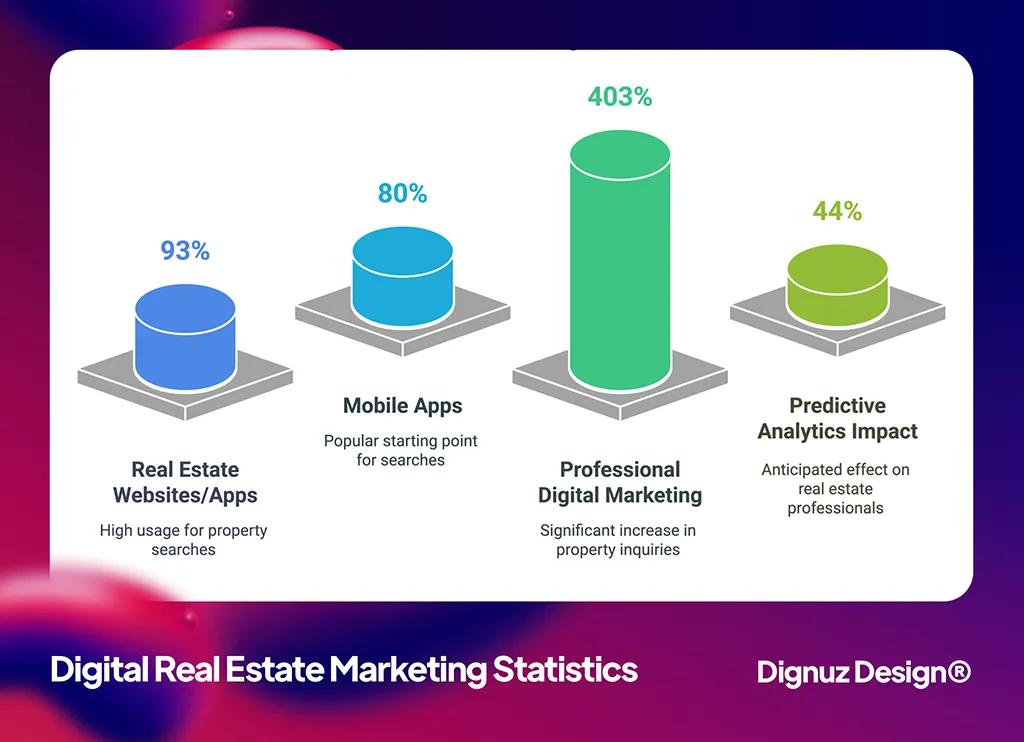
Selecting the right combination of tools can dramatically improve your marketing effectiveness. Properties with professional digital marketing receive 403% more inquiries than those without (Source: ElectroIQ). Here's how each of these digital marketing tactics can transform your real estate business.
1. PropertySimple: Social Media Management
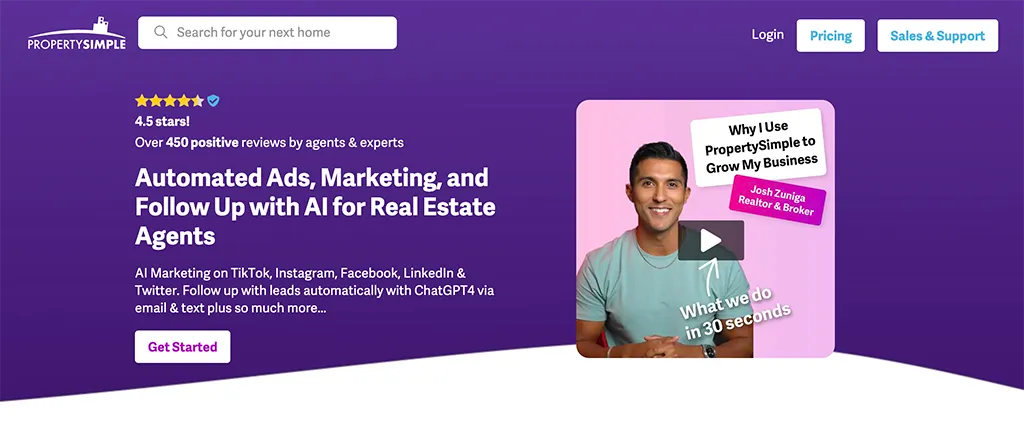
PropertySimple stands out by offering comprehensive social media management specifically designed for real estate professionals. It excels in creating engaging content across multiple platforms while maintaining a consistent brand voice.
Key Features:
- Multi-platform content management
- Automated posting schedules
- Lead generation through social channels
- Performance analytics dashboard
2. Dignuz Design: AmplyViewer
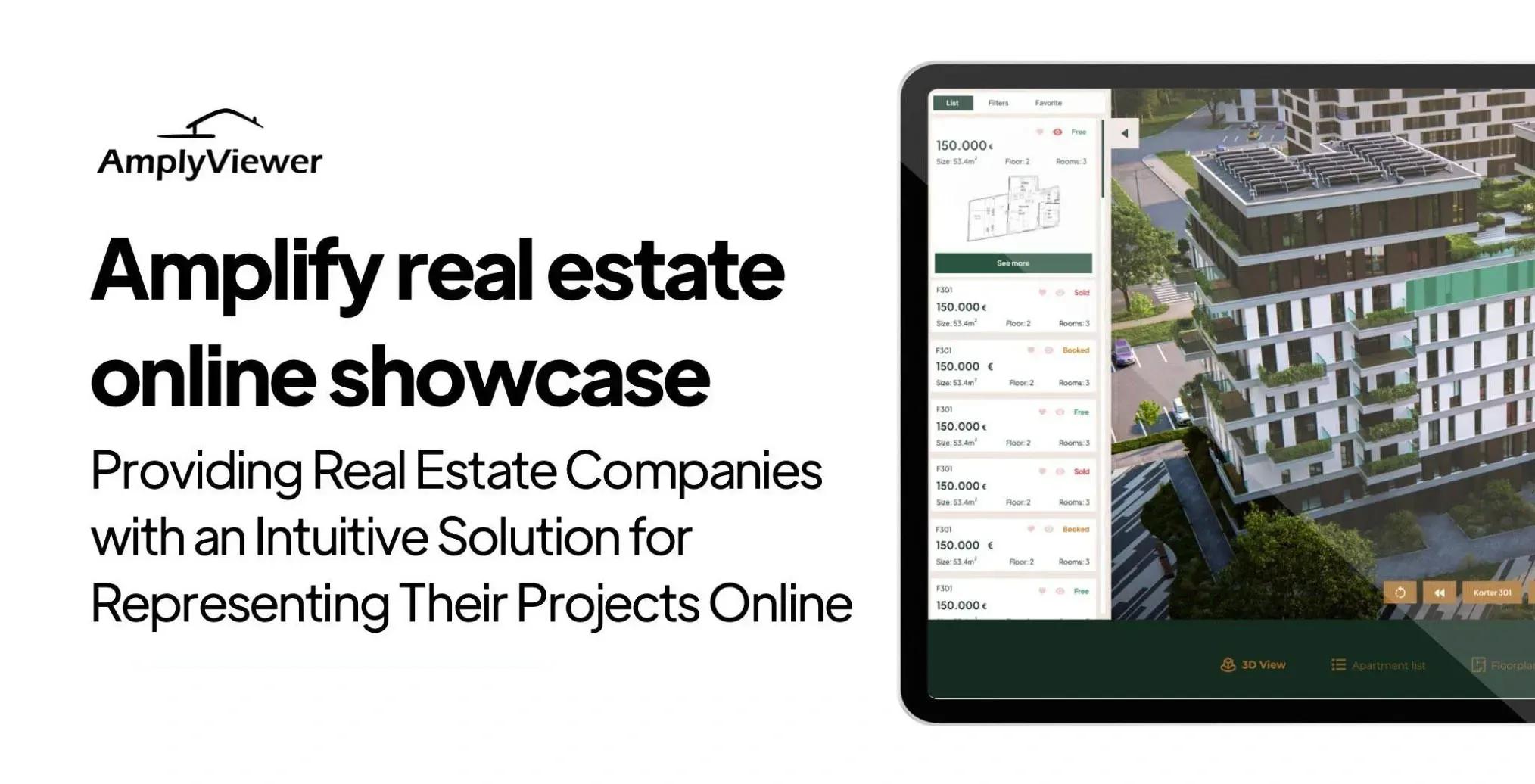
AmplyViewer is a cutting-edge digital tool designed to revolutionize the way real estate businesses showcase properties online. At DignuzDesign we offer AmplyViewer to create immersive, interactive, and visually engaging online experiences for our clients in real estate, which makes it easier for potential buyers to visualize properties in detail, ultimately speeding up the decision-making process and increasing sales efficiency.
Key features of AmplyViewer:
- Interactive Apartment Selector: Allows clients to explore various floor plans and select their preferred apartment, enhancing customer engagement and confidence in purchase decisions.
- High-quality 3D Visual Representations: Delivers realistic and detailed visuals of properties, which helps in building trust with potential buyers and assists them in picturing their future homes.
- Cross-Device Compatibility: Ensures that property showcases can be accessed on any device, providing convenience and improving reach to prospective buyers.
- Airtable Integration: Simplifies the updating process for property listings, making it quick and efficient to adjust details like pricing or availability in real time.
- 3D Virtual Tours: Offers in-depth virtual property tours, allowing buyers to navigate through properties as if they were physically present, which is particularly effective for reaching remote or international clients.
- Customization Options: Includes extensive customization features, such as color schemes and fonts, allowing real estate businesses to tailor the look and feel of their digital presentations to reflect their brand identity.
These features collectively enhance the digital marketing and sales strategies of real estate businesses by providing a more dynamic and interactive buyer experience. For more information, you can visit the AmplyViewer page on our site.
3. Zillow Premier Agent: Comprehensive Marketing Platform
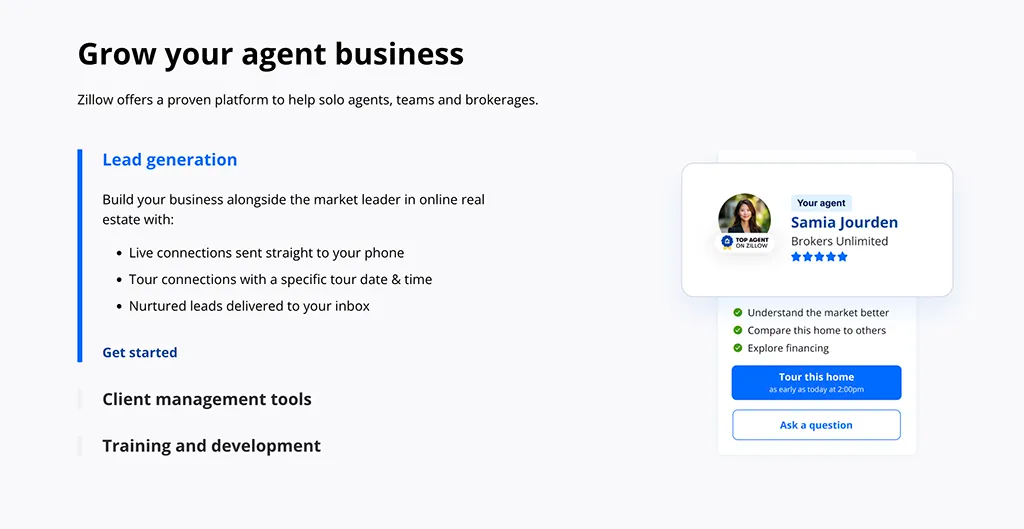
Zillow Premier Agent provides a complete marketing ecosystem for real estate professionals, combining listing management with powerful lead generation tools.
Key Features:
- Professional agent profile management
- Integrated CRM system
- 3D Home Tour creation
- Lead routing and management
4. ActiveCampaign: Email Marketing Automation
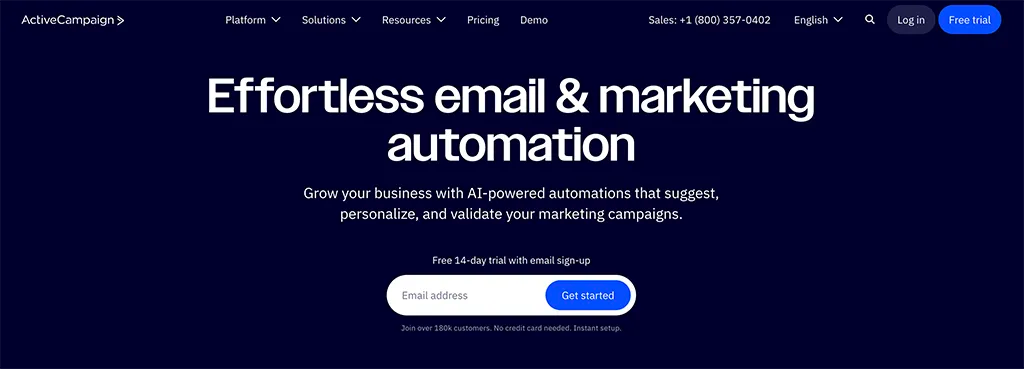
ActiveCampaign excels in creating personalized email marketing campaigns that nurture leads through the property buying journey.
Key Features:
- Advanced email automation workflows
- Segmentation capabilities
- Integration with real estate platforms
- Behavioral tracking and targeting
5. Roof.ai: AI Chatbot Solutions
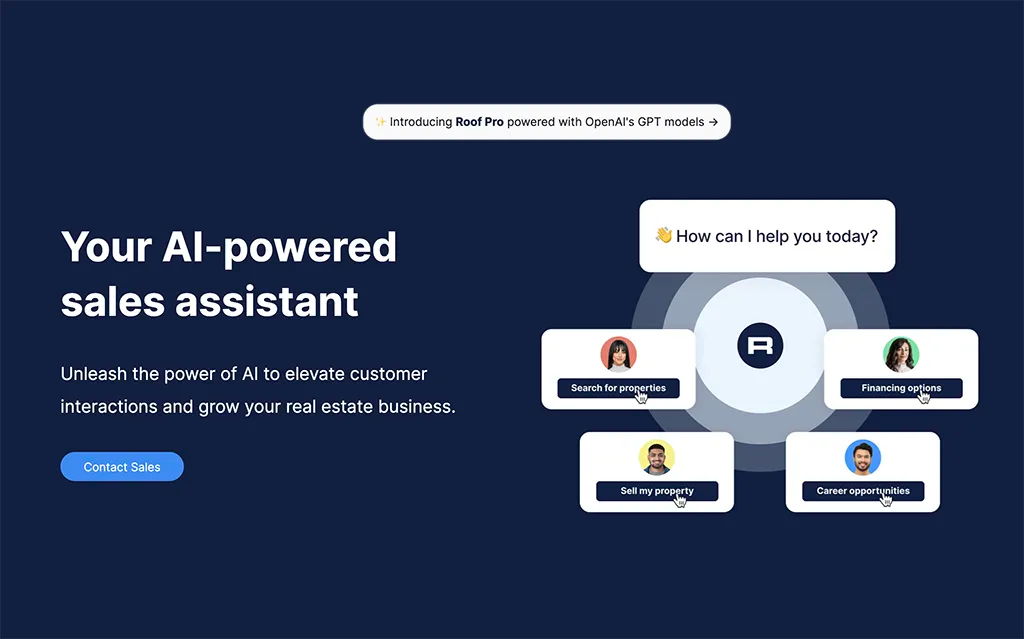
Roof.ai provides intelligent chatbot functionality that engages potential clients 24/7, ensuring no lead goes unattended.
Key Features:
- Property recommendation engine
- Multi-channel messaging integration
- MLS integration capabilities
- Automated lead qualification
6. GetResponse: Email and Landing Page Creation
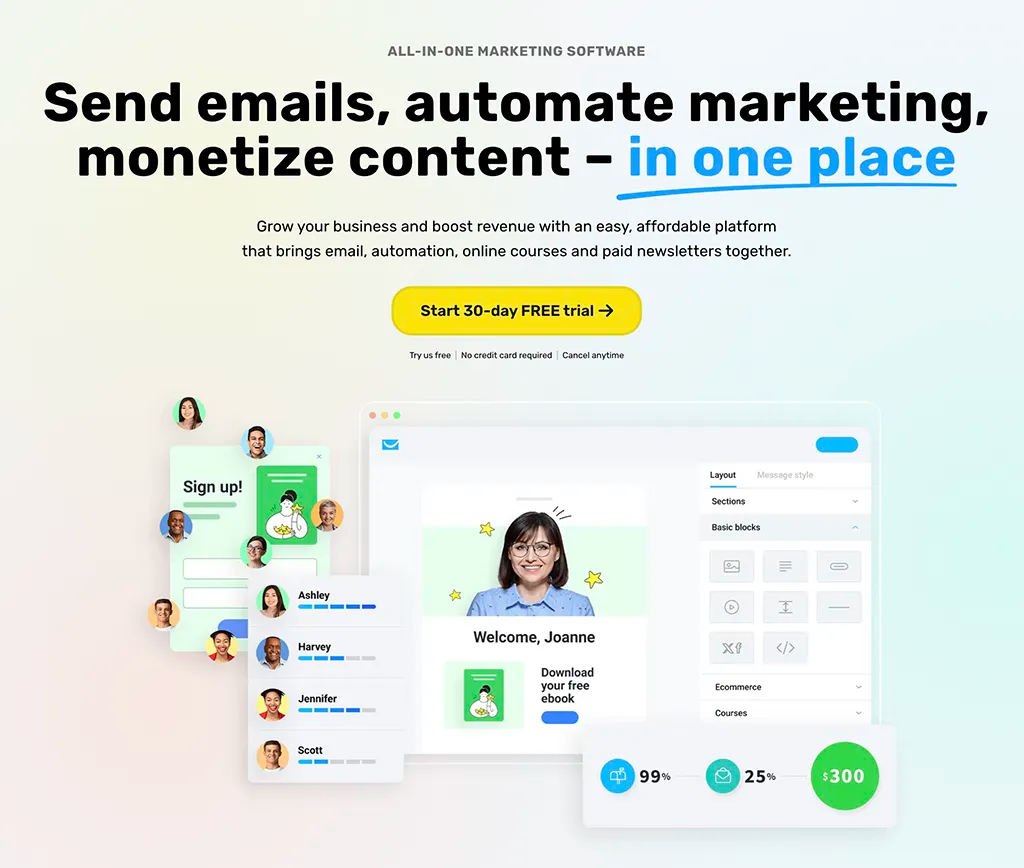
GetResponse offers a comprehensive solution for creating high-converting email campaigns and landing pages specifically optimized for real estate marketing.
Key Features:
- Real estate email templates
- Landing page builder
- Marketing automation tools
- Conversion funnel creation
Frequently Asked Questions
What is the minimum viable real estate marketing stack for a small agency?
A fast custom website, one CRM with proper website and portal integration, a single email tool with at most three nurture sequences, and one social channel posted to consistently. That is four tools, not twelve. Below 50 leads a month, anything more elaborate is overhead, not leverage.
Do I need a separate chatbot if my CRM already has one built in?
Almost never. The standalone chatbot category was strong before the major CRMs added equivalent features. For most agencies, the bundled option in Follow Up Boss, HubSpot, or kvCORE is enough. Standalone tools like Roof.ai or Structurely are worth considering only if you have very high after-hours lead volume and need property-recommendation logic that your CRM cannot match.
Are 3D tours and virtual viewers worth the cost for resale listings or only for new developments?
Both, but for different reasons. For resale, a Zillow 3D Home or Matterport tour costs roughly the same as a single staging session and measurably increases listing engagement, with Zillow's own data showing 3D-tour listings get 65 percent more views. For new developments where the building does not yet exist, a custom interactive viewer is not optional, it is the entire mechanism by which buyers commit to off-plan purchases. The two use cases need different tools.
How do I know if my marketing apps are actually integrated properly?
Run a test lead through every entry point: your website contact form, your Facebook ad, your Zillow or Rightmove listing, your chatbot. Each one should arrive in your CRM within seconds, with the correct source attribution and the correct property attached. If any of those tests fail or arrive without source data, your integration is broken, and no new app will fix it.
Should I use an all-in-one platform or build a stack from best-of-breed tools?
For agencies with under five agents, all-in-one usually wins on time-to-value and integration sanity. For developers running multi-project websites with custom visualization, best-of-breed wins because no all-in-one platform handles bespoke property visualization or developer-grade websites well. The middle case is the hardest, and is where most stack overspend happens.
How long before a new marketing tool starts producing measurable results?
For a properly integrated CRM and email setup, expect six to eight weeks before you have enough data to evaluate. For social and content-led tools, three to six months. If a tool has not produced measurable improvement in either lead volume or conversion within those windows, it is either misconfigured or not the right tool for your business.
Closing thought
The right marketing stack for a property business is not the longest one. It is the shortest one that does the four jobs (present, capture, follow up, measure) without seams, on top of a website that does not lose the lead before the apps even get a chance. Pick tools that integrate cleanly with what you already have, audit those integrations every quarter, and resist the pull of the next tool until you can name the specific bottleneck it solves. Most of the agencies I work with end up paying less for software the year after we audit their stack, not more, and converting better.



