Is WordPress a Headless CMS? An Honest Answer
An Honest Look from a Practitioner
WordPress can run as a headless CMS. The REST API has shipped in core since version 4.7, WPGraphQL is a mature community plugin, and an entire tier of hosting providers now sell "headless WordPress" as a product. Technically the answer is yes, and the tutorials are correct when they say so.
But that is the wrong question. The right one is whether you should run WordPress headlessly on the site you are actually building. I am Dimitri, and I spend my days shipping custom websites for real estate developers, architects and property marketing teams through DignuzDesign. The stack I default to is Astro, Svelte and Cloudflare, with Webflow where the client leads with marketing rather than engineering. I have also inherited my share of headless WordPress projects from other studios. The short version of my opinion is this: headless WordPress is a legitimate architecture, and it is also the wrong choice for most of the sites that get pitched into it.
Let me explain why, and where it actually does earn its complexity.
What Headless WordPress Actually Means In Practice
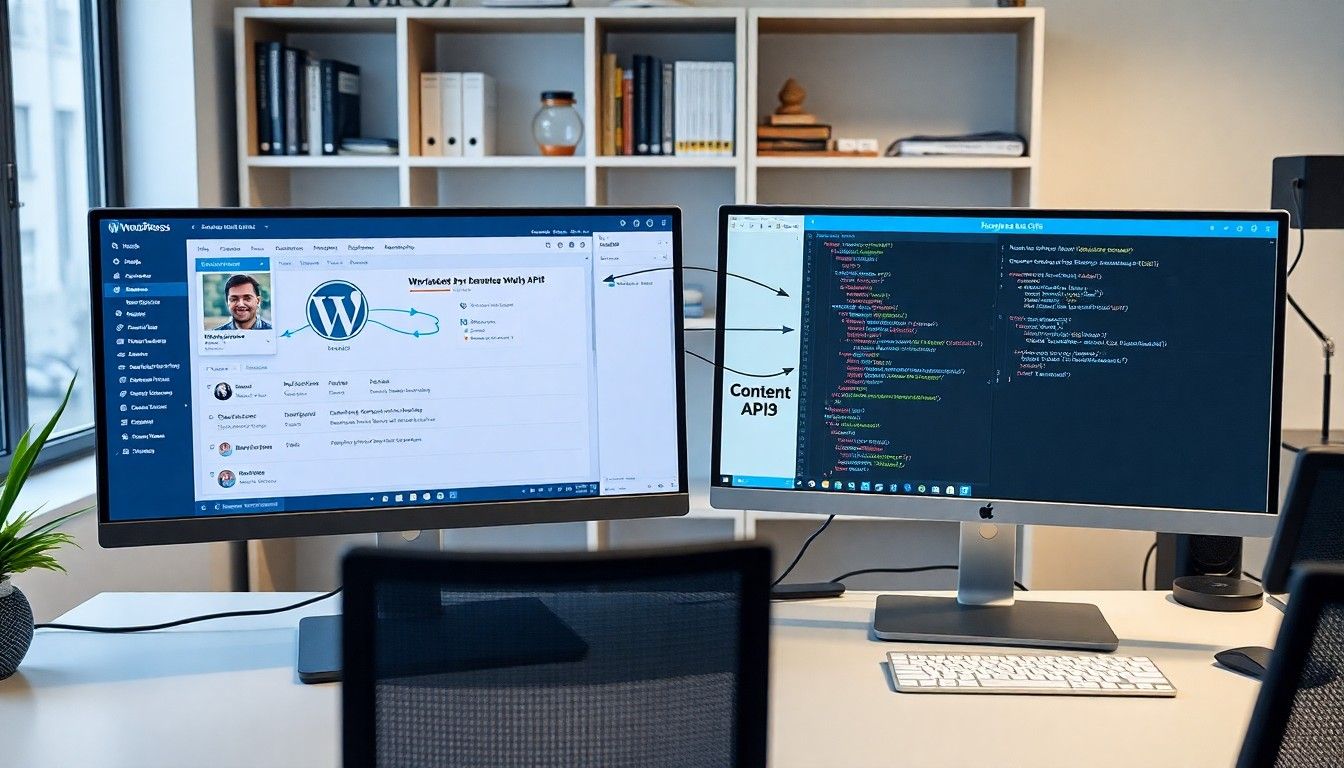
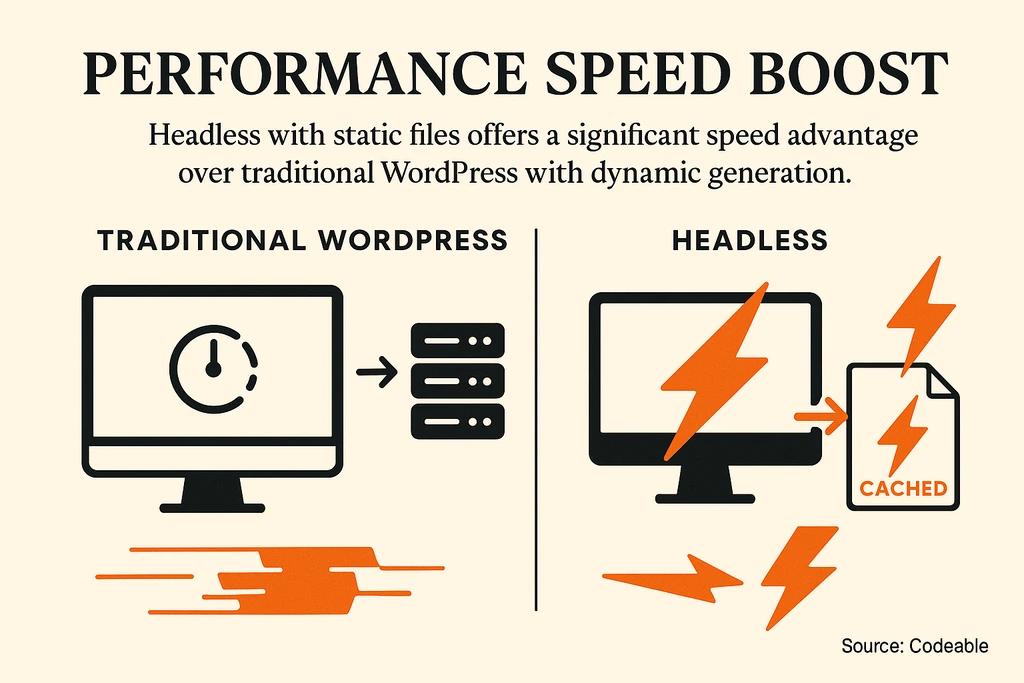
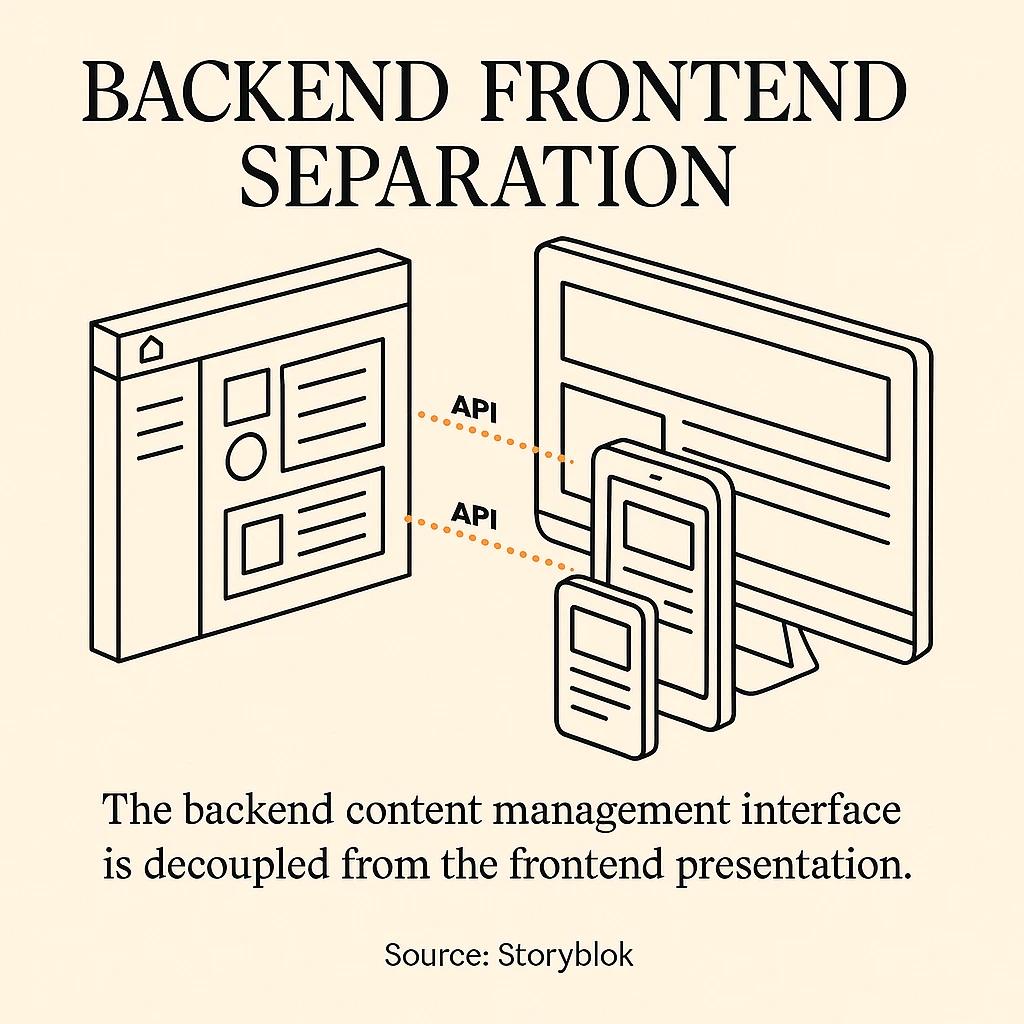
A headless CMS decouples the content editing interface from the frontend that renders it. With WordPress, that means editors still use the familiar admin to write posts, manage media, and wrangle custom post types. But instead of WordPress generating pages through PHP and a theme, it exposes content over an API. Your frontend, which can be Astro, Next.js, Svelte, Nuxt or anything else, reads that API and builds the pages.
WordPress gives you two practical paths to expose content.
The built-in REST API at /wp-json/wp/v2/ has been in core since 4.7. It covers posts, pages, media, users, taxonomies, and any custom post type that registers with show_in_rest: true. No plugin required. This is the endpoint every tutorial points you at.
The second path is WPGraphQL, a separately maintained plugin that exposes a GraphQL schema over /graphql. Astro's official documentation on the WordPress integration covers both routes and uses GraphQL in its recommended examples because a single query can pull posts, categories and site metadata together, where REST usually needs three separate requests.
On paper this looks clean. In production it has sharp edges that the introductory articles skip past.
The Operational Reality Tutorials Do Not Cover
Every time I have picked up a headless WordPress project from another studio, the same four problems show up.
The plugin ecosystem assumes a monolith. WordPress's plugin strength is built on the assumption that plugins can hook into the template layer and inject markup, CSS, scripts or shortcodes directly into the rendered page. In a decoupled setup, most of that machinery does not exist on the frontend. Form plugins, caching plugins, SEO plugins, analytics plugins and anything that relies on wp_footer() or the_content() filters has to be re-plumbed or replaced. If you came to WordPress for Gravity Forms or Rank Math, you now have to choose between exposing their output through the API, rebuilding those features on the frontend, or accepting that half the value of the plugin ecosystem has evaporated.
The block editor is richer than the API surface. Since Gutenberg, posts are authored as blocks with structured attributes. When you fetch a post through REST, what you get in content.rendered is an HTML blob. You can request raw block data, but parsing it on the frontend means running a block renderer library that has to stay in sync with every block your editors use, including the custom ACF blocks the marketing team added last sprint. Extensions exist that expose blocks through WPGraphQL, but you are now pinning your frontend to schema decisions made inside a WordPress editor that ships updates on its own cadence.
Cache invalidation becomes your problem. Monolithic WordPress handles cache purging with one of ten well-trodden plugins and most people never think about it. In a headless setup, an editor publishes a post, and something has to tell your static site generator to rebuild, or your edge cache to purge, or both. WordPress VIP is unusually honest about this in their piece on headless WordPress tradeoffs, noting that cache invalidation complexity can offset the very performance gains decoupling is supposed to deliver. If nobody owns the webhook pipeline, content goes stale silently and the marketing team loses trust in the system.
Preview and authentication are painful. Preview workflows that editors expect, like draft previews, scheduled publishing and revision history visible from the admin, all require custom plumbing across the API boundary. Application passwords and JWTs work, but every permissions edge case is now yours to own. None of this is insurmountable. All of it is work that a monolithic WordPress install just gave you for free.
When Headless WordPress Is Actually The Right Call
I am not saying never. Headless WordPress earns its complexity in three specific situations.
The first is when you already have a working WordPress install with hundreds of posts, custom post types, and editors who are trained on it. Ripping that out to migrate to a purpose-built headless platform is expensive and usually pointless if the admin side is serving the editorial team well. A decoupled frontend is a sensible evolution for that kind of site, not a greenfield decision.
The second is when you genuinely need to distribute the same content to more than one consumer. A website, a native mobile app, and an in-office kiosk all reading the same post type is exactly what the API-first model is good at. If you have one consumer, the case is weaker.
The third is when you have a full-time developer, or an engaged studio, that is comfortable with WordPress internals and a modern JavaScript framework, and will still be around in two years to fix the webhook when it breaks. Headless architectures punish part-time maintenance.
Outside those three, the complexity usually outweighs the benefit. Webflow's own team published an essay called "Developers love headless until they're stuck maintaining it" that matches what I see in the field. Teams pick headless for flexibility, then get stuck maintaining infrastructure they did not want to own.
What I Actually Use Instead On Real Estate Projects
For the kind of sites I build, which are custom websites for property developers, architects and estate agencies, I default to one of three patterns. None of them involve WordPress.
Webflow For Design-Led Teams
If the client has a marketing lead who wants to own the site visually, and the publishing cadence is one or two posts a month, Webflow is almost always the right answer. The CMS is strong enough for property listings, team pages, and blog content. Hosting, CDN and SSL are bundled in. Nobody is maintaining a plugin stack or a WordPress security advisory feed. I have written about the honest tradeoffs of building on Webflow at length, but for a small real estate team, it removes an entire category of operational cost that headless WordPress introduces.
Astro With Markdown For Developer-Led Builds
When the client wants maximum performance and has a developer on the team, or retains me for ongoing work, I reach for Astro. Content lives as Markdown files in the repository. Authors either edit through a lightweight Git-backed CMS like Tina or Decap, or they hand me copy in a shared doc and I commit it. The deploy target is Cloudflare Pages or Cloudflare Workers. Time to first byte sits comfortably under 100ms globally and I have zero plugin dependencies to audit. This is the Jamstack approach applied to property developer websites, and it is the most future-proof pattern I know for a site that does not need daily editorial throughput.
Purpose-Built Headless CMS For Content-Heavy Sites
When a client genuinely needs a headless architecture, with multiple editors, complex content models and scheduled releases, Sanity or Contentful is a better starting point than headless WordPress. These platforms were built API-first from day one. The preview story is solid. The schema is code that you version in Git. You are not inheriting twenty years of assumptions from a PHP monolith that happens to have a JSON endpoint bolted on later.
The Performance Argument, Examined
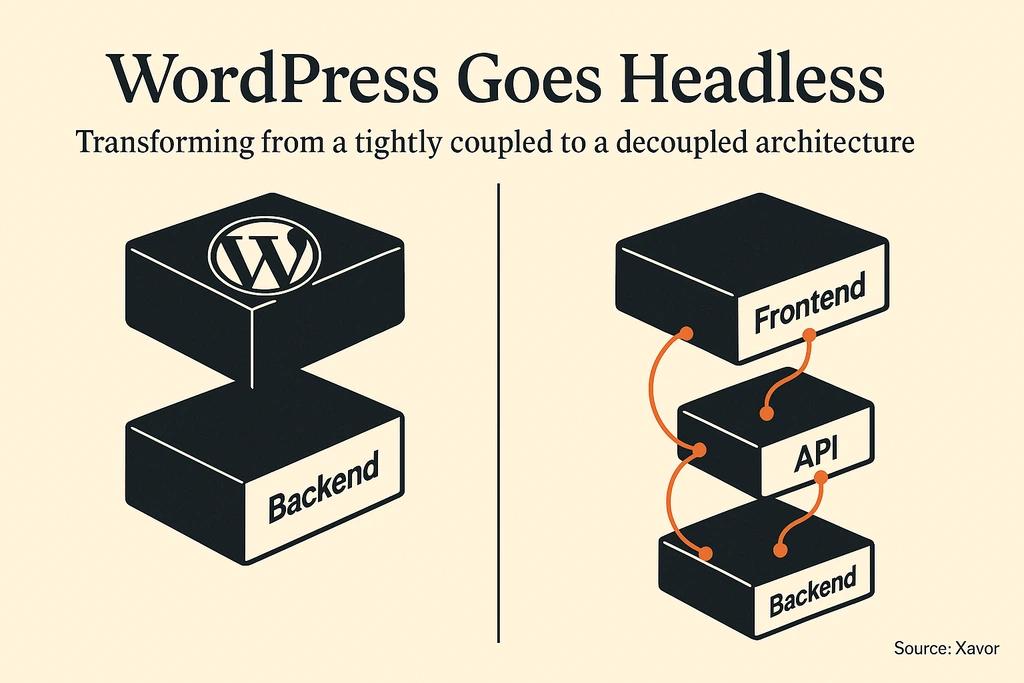
A common pitch for headless WordPress is that it is faster because the frontend is static. That is half true. A static frontend served from a CDN is faster than a PHP server rendering templates with a database hit on every request. But the relevant comparison for most small business sites is not headless WordPress against monolithic WordPress on shared hosting. It is headless WordPress against the simpler options above.
A pure Astro build reading local Markdown has one fewer network hop at build time, one fewer system to keep patched, and one fewer plugin to break. It will match or beat headless WordPress on every Core Web Vitals metric I have measured, and it will do it with a fraction of the operational surface area. If performance is the primary driver for the decision, the first principle of real estate website speed optimization is to remove systems, not to add them.
So, Is WordPress A Headless CMS?
Yes, it can be. The REST API works. WPGraphQL works. The frontend integrations with Astro, Next.js and Nuxt are mature and well-documented. If you already have WordPress, and you are investing in a custom frontend for reasons that genuinely justify the complexity, headless WordPress is a legitimate architecture.
For most of the real estate and property developer projects that land in my inbox, it is not the right choice. The honest version of the answer is that if you have to ask whether you need headless WordPress, you probably do not. Pick the simpler tool, ship the site, and spend the saved maintenance budget on the things that actually convert buyers, like better photography, 3D visualization and a listing page that loads in under a second.

FAQ
Is headless WordPress faster than regular WordPress?
Usually yes, but the framing is misleading. A static frontend on a CDN is faster than PHP rendering on every request. But if speed is the only goal, a pure static site with local content is faster still and easier to maintain. Headless WordPress is faster than the WordPress default, not necessarily faster than the alternatives it tends to compete with.
Do I need WPGraphQL or can I use the REST API?
Either works. WPGraphQL lets you fetch multiple resources in one request and is the more ergonomic choice for frontend developers already comfortable with GraphQL. The built-in REST API requires more round trips but has no plugin dependency and is supported directly by WordPress core. For a small blog-style frontend, REST is fine. For a dashboard or a multi-section site with deep data needs, GraphQL pays off.
Can I use Elementor or other page builders with headless WordPress?
Not cleanly. Visual builders assume they are rendering the final page. In a decoupled setup, the builder's output either has to be rendered server-side by WordPress and then pulled in as an HTML blob, or you have to parse builder-specific block data on the frontend. Either way, you lose most of what people pay for these tools in the first place.
How do I handle SEO on a headless WordPress site?
Your frontend is responsible for SEO, not WordPress. Plugins like Yoast or Rank Math can expose meta fields through the API, but your Astro or Next.js site has to read those fields and render the tags, generate the sitemap, and emit the structured data. Canonical URLs, hreflang, and Open Graph tags are all the frontend's job now. This is a common source of silent regressions when teams assume the plugin handles it.
How much does headless WordPress cost compared to Webflow?
Over a two-year horizon, typically two to five times more once you factor in separate frontend hosting, a developer who can maintain both sides, plugin licensing, and the custom integration work. Webflow consolidates most of that into a predictable monthly fee. For a small real estate business without an in-house engineering team, the math rarely favors headless WordPress.



