Affordable Custom Real Estate Website: What to Cut Safely

Every property developer who calls me about a "cheap custom website" is asking the wrong question. The right question is not how cheaply the site can be built. It is how cheaply it can be built without paying for it twice.
I run DignuzDesign, a small studio that ships property developer, architect, and estate agency websites on Astro, Webflow, and Cloudflare. Most of my new client work starts as a rescue job. The owner paid somewhere between $4,000 and $9,000 for a site they were told was custom. Eighteen to twenty four months later it is slow, the CMS is locked, the original developer has gone quiet, and adding a single listing requires opening a support ticket. The first build was the cheap one. The second build, the one I am quoting for, is the one that costs real money.
This article is about avoiding that second build. It is not a generic buyer's guide. It is what I tell developers and agency owners who sit across from me asking where the savings actually live and where the savings will hurt them later.
The hidden cost nobody quotes you
A website quote describes the cost of building the site. It does not describe the cost of owning the site. Those are two very different numbers, and the gap between them is where most "affordable custom" projects go off the rails.
Consider a real example, anonymized but close to several projects I have worked on. A developer commissions a $6,500 site from a generalist agency. It looks fine at launch. The agency uses a paid WordPress theme, three premium plugins, a page builder, and a custom child theme bolted on top. Listings are hand-entered into a custom post type that nobody bothered to document. Twelve months in, two plugins go out of date, the page builder pushes a breaking update, and the theme author stops maintaining the theme. Eighteen months in, the owner cannot edit listings without breaking the layout. The original $6,500 turns into a $14,000 rebuild because there is nothing salvageable except the content.
The real cost of that site was not $6,500. It was $20,500 over two years. The cheap quote was the most expensive choice on the table. When I write that custom builds beat templated solutions for property businesses, this is the math I am pointing at. Custom does not mean expensive. It means owned, portable, and durable.
Where buyers actually look (and where most budgets go)
The first principle of spending property website money wisely is to spend it where buyers actually pay attention. According to the NAR Profile of Home Buyers and Sellers, 43% of buyers start their property search online, and what they value most on a listing site are photos (41%), detailed property information (39%), and floor plans (31%).
Now compare that to how most property developer budgets actually get spent. The home page hero animation eats two weeks of design time. The about page gets a parallax effect. The contact page gets a custom illustration. The listing detail page, the actual page where the buyer makes the decision to contact you, gets whatever time and budget is left.
Buyers do not buy off the home page. They glance at the home page once, scan the listings, click into a listing detail page, and make their decision there. The math of where to spend should follow the math of where they look. A site with a plain home page and a brilliant listing template will outperform a site with the inverse, every time. I have rebuilt enough of these to know it is not a debate.
What buyers actually use to look (and why your stack matters)
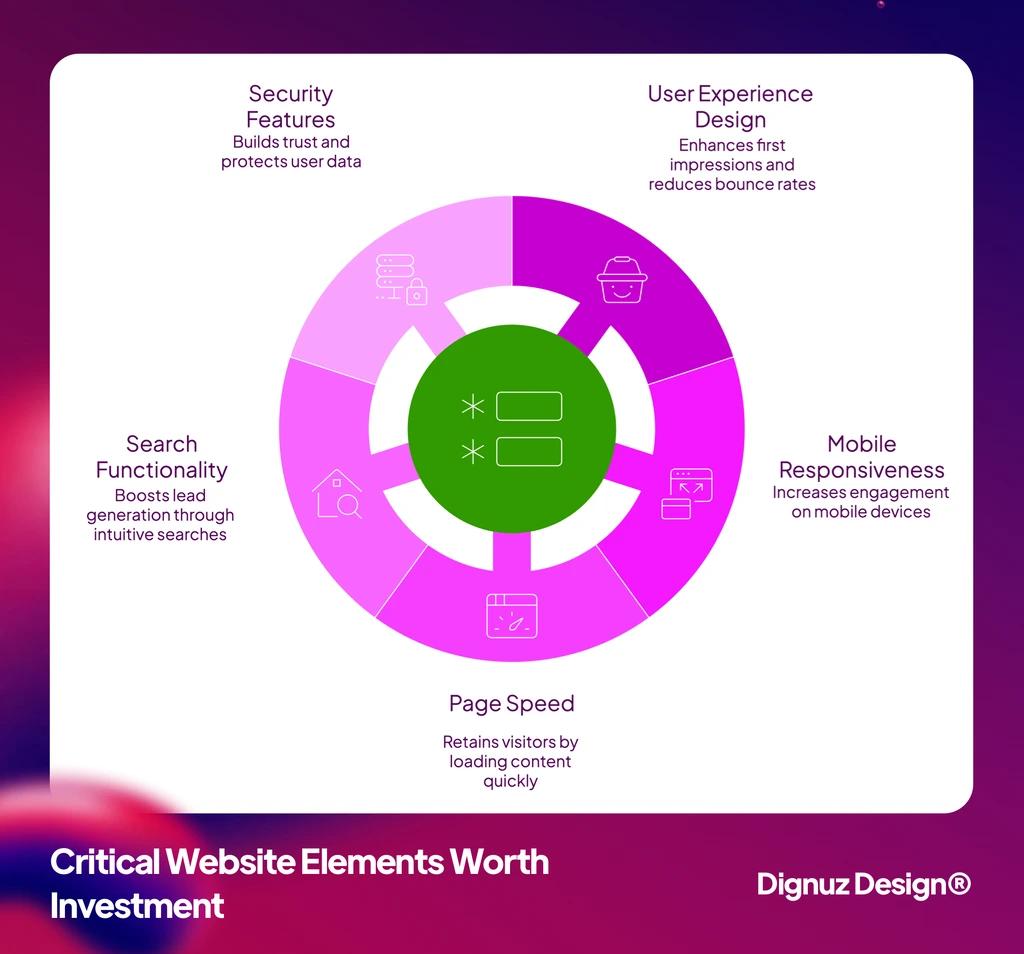
Zillow's Consumer Housing Trends Report confirms what every property developer client of mine sees in their own analytics: roughly two thirds of property website traffic is mobile, and that number climbs above seventy percent on weekends. The implication is uncomfortable. A site that looks beautiful on a designer's 27-inch monitor but loads a four megabyte hero video on a phone is a site that loses sixty percent of its audience before they ever reach a listing.
This is where the technology stack matters more than the budget. The old cost ranges, the $15,000 to $50,000 "custom" tier, came from a world where custom meant a developer hand-coding from scratch, or an agency layering plugins on WordPress until the whole thing was held together with prayers and cron jobs. That world is gone, and the cost ranges that came with it are no longer accurate.
The modern stack quietly destroyed the old cost ranges
The economics of building a custom website changed in the last four years and most agencies have not updated their pricing model to reflect it. Three things changed simultaneously. Static site generators like Astro produce HTML that is dramatically faster than anything a WordPress build can serve. Cloudflare hosting for a static site is effectively free at property developer scale. Webflow gives you editor-ready CMS without a backend developer in the loop.
What this means in practice is that the output of a $25,000 agency build from 2021 can be matched, and often beaten on performance, by a focused build in the $5,000 to $12,000 range today. Not because corners are being cut. Because the cost stack underneath collapsed. I cover this in more detail in my piece on Jamstack for property developer sites, but the short version is that the old cost benchmarks are still being quoted by agencies that have not modernized their workflow.
When you read a quote in 2026, the question to ask is not "is this expensive." The question is "is this priced from current tools or from 2019 tools." A developer quoting from current tools will give you a sharper number. A developer quoting from old tools will price old labor.
What you can safely cut
Here is the one place I will use a bullet list, because each item below deserves an explanation rather than a single line. These are the cuts I make on real client projects when the budget is tight and the goal is to ship something that does the job without forcing a rebuild later.
- Custom illustration and motion design. Most property developer sites need none of it. Clean typography and excellent photography do more work than a Lottie animation ever will. The buyer who is genuinely interested in a $1.2 million unit is not waiting for an SVG to draw itself before deciding to inquire.
- Multi-language at launch. If you cannot keep English copy current across twelve pages, you will not keep four languages current across forty. Add languages when there is genuine commercial demand for them, not because the brief said so. I have removed broken French and German pages from more sites than I have launched them on.
- Custom CMS development. Use a proven CMS. Webflow CMS handles editable listings beautifully for teams that need to manage content themselves. A static Astro build with markdown handles portfolio-style sites for developers who treat the site as a brochure. Building a CMS from scratch for a property site in 2026 is almost always burning client money.
- Backend property search infrastructure. Most developer sites have fewer than eighty listings live at any time. Client-side filtering on a static page is faster, cheaper, and easier to maintain than a database-backed search system that adds hosting cost forever. Save the database for portfolios past several hundred properties.
- Page count for its own sake. I have inherited developer sites with thirty pages and four listings. The cruft hurts. A focused site with five well-built pages outperforms a sprawling one with thirty mediocre ones, both on search engine ranking and on buyer experience.
Those are the safe cuts. Each one shaves real money from the budget without weakening anything a buyer will notice. The cuts I am about to describe in the next section, by contrast, look attractive on a quote sheet and cause measurable revenue damage.
What you cannot cut without consequences
Page speed and Core Web Vitals
Speed is the cut that punishes you twice. Once when buyers bounce off a slow listing page on mobile, and once when Google de-ranks the site so fewer buyers ever arrive. Google's own Search Central documentation confirms that Core Web Vitals are used as ranking signals in search results. This is not a third-party SEO claim. It is published Google policy.
The cheap route on speed almost always looks like this: skip the image optimization, skip the CDN configuration, skip the lazy loading. The site loads in 6 seconds on a phone, the developer says it is fine, and the owner cannot understand why organic traffic is flat after six months. By the time anyone audits the issue, the cost to fix retroactively is larger than the cost of doing it correctly at build. I wrote a longer piece on real estate website speed that covers the specific patterns that cause it.
Photography and visualization
This is where the budget should be generous. Photos are what buyers report as the single most valuable element on a property listing page, per the NAR data above. For an existing property, that means hiring an actual real estate photographer rather than asking the sales agent to use a phone. For a new development that does not yet physically exist, it means high-quality 3D rendering and walkthrough production.
My visualization studio Faraday3D exists specifically for this gap. Property developers selling off-plan cannot sell on photographs of a building that has not been built. They sell on visualization. A $400 photography budget on a $40 million project is not affordable, it is malpractice.
There is a premium element I will recommend even on a tight budget for off-plan sales, which is interactive 3D. AmplyViewer, our own product, lets buyers explore an actual unit from the listing page rather than scrolling through static renders. For new developments where buyers cannot yet walk the property in person, this single element measurably moves inquiry rates. It is one of the few "premium" features I push for on budget-conscious projects, because it earns its cost back.
Mobile interaction, not just responsive layout
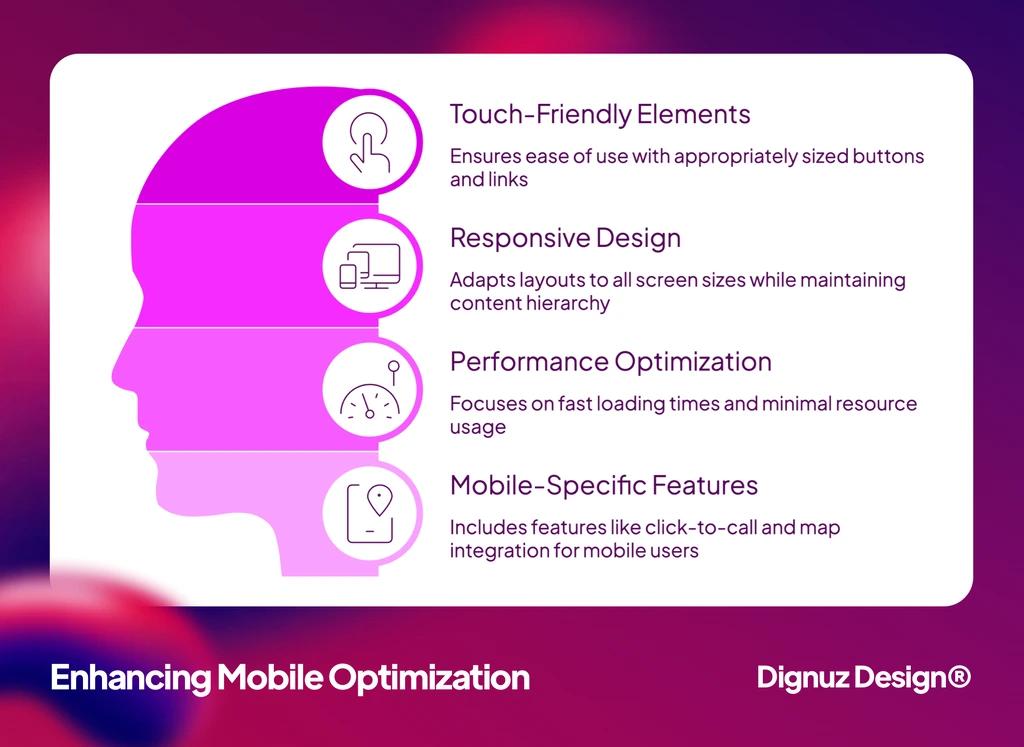
Responsive design means the layout reflows for different screen sizes. That is the cheap version of mobile. What actually matters for property buyers is mobile interaction: tap targets large enough for thumbs, listing cards that swipe smoothly through galleries, image galleries that respond to pinch and zoom rather than fighting the browser, contact forms that accept autofill from the phone's keychain, click-to-call links that actually call. Most affordable property sites stop at responsive layout and call it done. The good ones get interaction right, and the difference shows up as faster paths from listing view to contact form submission.
Listing schema and structured data
Property schema markup is what makes Google show rich results, with price, beds, baths, and location, directly in the search engine. Without it, your listings compete on plain text against portals with far deeper authority. With it, you have a fighting chance to rank for long-tail searches like "three bedroom apartment in [neighborhood]" without paying portals for referral traffic. This is a few hours of careful work at build time and a permanent advantage afterward. Skipping it is a false saving. My property listing design guide covers the specific schema patterns that move ranking.
How to read a developer's quote properly
Most affordability problems start at the quote stage, because the quote describes the build and hides the ownership cost. When I am asked to review another developer's quote for a client, these are the questions I push them to ask before signing.
Custom should mean tailored, not from scratch. If the developer says they will build your CMS from the ground up, ask why. There are good answers, like genuinely unique editorial workflows with multi-stakeholder approval. There are also bad ones, like "because it's better." A from-scratch CMS in 2026 is almost always a red flag dressed up as a feature.
Annual running cost should be in writing. Ask, before signing, what the site will cost per year to run. Some agency builds carry $200 per month hosting, plus a $400 per month maintenance retainer, plus plugin renewals, that were not mentioned during the sales call. A clean Cloudflare-hosted static site might run under $30 per year. A Webflow plus CMS plan runs in the $300 to $500 per year range. Anything significantly higher should come with a specific explanation.
Ownership and portability matter. Ask whether you will have full access to your site files, your CMS exports, and your domain registration. Some agencies build on platforms you cannot migrate from, which means you are locked into their pricing forever. My guide on choosing a web design agency covers the specific contract clauses to look for here.
Portfolio relevance. A developer who has actually shipped property sites understands listing image weight, the pattern of repeating property cards, lead form conversion, and schema. One who has not shipped property sites will charge you to learn on your project. Ask to see two or three real estate sites they built in the last eighteen months. Hiring a real estate website developer is its own decision, separate from hiring a generalist.
Timeline reality. A focused property developer site, single language, with content and photography ready, is a realistic four to six week project on a modern stack. A quote of twelve weeks or more is either a substantially larger project or a planning problem. A quote of two weeks is either a template flip pretending to be custom or a recipe for cut corners. My breakdown of what Webflow development actually costs includes typical timeline expectations.
A phased plan that actually fits property sales cycles
Generic web project advice says "phase the build to spread cost." That advice is fine for software products, where users will tolerate missing features at launch and return when they are added. It is not fine for property sales, where listings are time-sensitive and a new development has a launch marketing window that closes. A phased plan that defers listings to "phase two" is a phased plan that misses launch sales. Here is the version I actually use with clients.
Phase one, weeks one to four. Brand pages, focused home page, listings working from day one, contact form connected to your inbox or CRM, listing schema in place, mobile-first design verified on real devices not just emulators. Photography and 3D production run in parallel during these weeks so they are ready by launch. This phase is non-negotiable. Listings ship in phase one or the launch is broken.
Phase two, months two to three after launch. SEO depth beyond launch basics, blog or insights section if it fits your sales motion, additional listing categories like commercial versus residential if needed, neighborhood or community pages for local SEO. This phase responds to early traffic data rather than assumptions.
Phase three, months four to six after launch. Premium tools where they earn their cost. Interactive 3D for off-plan sales. CRM integration, often HubSpot or Pipedrive depending on the team. Lead nurture automation. This phase is funded by phase one inquiries, which is how the math is supposed to work.
Phase four, year two. Whatever your analytics have told you matters by then. Not whatever was on someone's roadmap checklist. The discipline of waiting until phase four to add features you cannot yet justify is what separates affordable real estate sites that grow well from ones that get bloated and slow.
💻 Let us help you create a stunning online showcase for your projects that works seamlessly across all devices. Ready to amplify your real estate business? 👉 Explore AmplyViewer now
The principle underneath all of this
Affordable does not mean cheap. Affordable means proportional to what the site is actually doing for the business. A property developer selling four hundred million in inventory should not be building a $3,000 site, even though they could. They should be building a $12,000 site that converts inquiries at the rate the inventory justifies, on a stack that will not need rebuilding in two years. An estate agent with eight active listings should not be paying $40,000 for an agency build, even though the agency will gladly invoice them. They should be on a focused Webflow build at $5,000 that they actually own.
The number on the quote is not the whole picture. The whole picture is the number on the quote, plus the annual running cost, plus the rebuild risk, plus the conversion rate on the page where buyers actually decide. Optimize that whole picture, not just the line item. The studios and agencies who understand this are also, not coincidentally, the ones I see shipping sites that still work three years after launch. I also run AmplyDigest, an AI newsletter and content digest service, and the patterns are the same across both businesses: every cost is two costs, the one you pay now and the one you pay later. Plan for both.
Frequently asked questions
How much should a custom real estate website actually cost in 2026?
For a focused property developer or estate agency site built on a modern stack like Astro on Cloudflare, or Webflow with custom design tokens, a realistic range is $4,000 to $15,000 for a site that holds its own against anything a generalist agency would have charged $25,000 or more for three years ago. Larger builds with custom integrations, multi-language content, or embedded interactive 3D push the budget higher, but the base range for a properly built single-language property site sits firmly in five figures rather than near twenty.
Is Webflow or WordPress better for an affordable property site?
For most property developers and small estate agencies, Webflow wins on total cost of ownership. WordPress is cheaper to start and meaningfully more expensive to maintain, because plugins update, themes break, and security patching is a continuous cost. Webflow inverts that math with a higher monthly platform fee but no plugin maintenance, no theme breakage, no security patching, and a CMS that nontechnical team members can actually use without breaking the design.
Can I use a template and still have it look custom?
Yes, but the math is specific. A quality template plus genuine customization of brand tokens, typography, photography, and the listing component covers about eighty percent of what buyers perceive as "custom." The mistake most people make is skipping the customization step and shipping a near-stock template, which is what makes those sites look identical to every other template-based site in the category. Customize the parts buyers actually see.
What is the single most important thing to invest in on a property website?
The listing detail page and the speed at which it loads on mobile. Buyers spend most of their session on listing detail pages, and that page is where they decide whether to send an inquiry. Everything else on the site supports that page. If the listing detail page is fast, beautifully laid out, with strong photography or 3D content and a frictionless contact path, the rest of the site can be modest. If the listing detail page is weak, the rest of the site cannot compensate.
Do property developers need a custom CMS?
Almost never. The honest exception is when there is a genuinely unique editorial workflow that involves multi-step approvals across legal, sales, and marketing teams, with custom user roles. For everyone else, Webflow CMS or a markdown-based Astro build with a lightweight admin layer covers what is needed. A from-scratch custom CMS is rarely a good use of property developer budget in 2026.
How long does it take to build an affordable custom real estate website?
A focused single-language property developer or estate agency site is realistic in four to six weeks when photography and copy are ready before kickoff. Add two to four weeks if photography or 3D visualization needs to run in parallel with the build, which is the more common case. Anything quoted at twelve weeks or longer for a single-language property site is either a substantially larger project than described or a planning problem that will not improve once development starts.



