Real Estate Website Performance: Small Fixes, Big Wins

Most performance articles written for real estate websites are not really about real estate websites. They are generic web performance guides with a real estate label stuck on the front. They recommend image compression, code minification, caching, and a CDN, and they do so in the same voice regardless of whether you are selling yoga classes or a forty-unit beachfront development.
Property websites fail at performance in a particular way, for particular reasons, and almost none of those reasons appear in the generic guides. I am Dimitri, and I run DignuzDesign, a studio that builds custom websites for real estate developers, architects, and estate agents. I also run AmplyViewer, an interactive 3D property viewer, and a rendering studio that produces the heavy visual assets most of these sites are built around. Between those three things I spend most weeks either making a property site slower by adding something beautiful to it, or making it faster by taking something careless out.
This article is the pattern I keep seeing, and the small changes that actually move buyer behaviour when they land.
What "performance" means for a property website, specifically
Google's performance signals are grouped under Core Web Vitals, and in 2024 the set changed in a way that matters for real estate more than most sectors. First Input Delay was retired and replaced by Interaction to Next Paint, which measures how responsive a page feels across its entire lifetime rather than just the first click. The other two metrics, Largest Contentful Paint for load perception and Cumulative Layout Shift for visual stability, stayed. You can read the current definitions in Google's own Core Web Vitals documentation.
On a property site these metrics map to very concrete things. LCP is almost always the hero image of the development or the hero video of the architecture, and it is almost always serving somewhere between three and fifteen megabytes that it did not need to serve. INP is almost always the gallery, the floor plan switcher, the map filter, or the embedded virtual tour. CLS is almost always a font swap combined with a hero image that arrives late and pushes the page text down by a hundred pixels.
Once you know which metric each part of your site owns, you stop chasing a Lighthouse number and start chasing the actual experience a buyer has when they open your listing on a phone while sitting on a train. That is the right frame.
The image problem is most of the problem
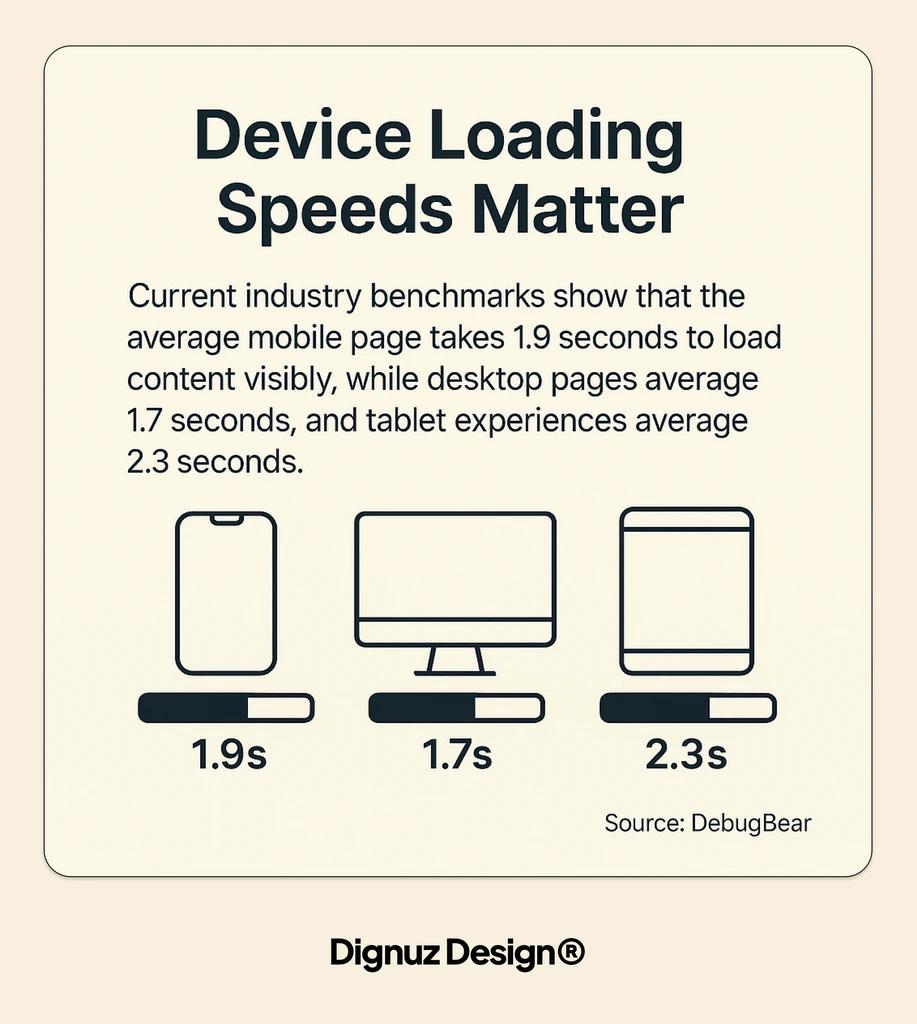
I cannot overstate how much of a property website's performance is simply an image weight problem. According to the HTTP Archive Web Almanac's 2025 page weight report, the median mobile home page across the web now carries around 2.6 MB of content, of which roughly 36 to 37 percent is images. On a typical real estate listing, those numbers look genteel. I regularly audit property pages that ship 20 to 40 MB per listing, with 95 percent of that being unoptimised photography, photographer-original floor plans, and render exports at their print resolution.
The cultural reason this happens is that nobody in real estate wants to be the person who downgrades the visuals. The photographer delivers a 8,000 pixel wide file and the developer pays a lot of money for that fidelity, so it lands on the website at 8,000 pixels wide. The fact that it is being displayed on a 390 pixel wide iPhone does not enter the conversation. The image looks beautiful either way, because the iPhone is doing the downscaling silently.
The fix is boring and effective. Generate at least three widths per image, serve them through the srcset and sizes attributes, and cap the maximum served width at 2,560 pixels. Even the most aggressive Retina displays do not need more than that for a gallery tile. Encode to AVIF as the primary format, WebP as the fallback, and a reasonable JPEG as the safety net for the small residual audience on older browsers. In practice this cuts image weight by between 60 and 80 percent on a typical property page without any visible loss.
The second image rule is equally boring: preload the one image that will be LCP, and lazy-load everything else. The hero image of the development should be fetched with a <link rel="preload"> hint and a known width and height, so the browser reserves space for it. Every other image on the page should carry loading="lazy" and decoding="async", so it does not fight the hero for bandwidth while the buyer is still deciding whether to stay. I have written more specifically about this workflow in the context of real estate website speed optimisation, and the underlying logic does not change regardless of stack.
The gallery, the floor plan, and the virtual tour are the next trap
The second failure mode on a property site is the gallery. A typical listing has 30 to 60 photos. A typical gallery component, if nobody has touched it, will load all of them eagerly at full resolution into a slider. The user sees the first one. The browser downloads all sixty.
A properly built gallery loads thumbnails at small resolution, defers the full-size image until the user either clicks or swipes past the first slide, and preloads only the next image in the sequence. This is the difference between a 40 MB gallery and a 2 MB gallery. It is also the difference between a phone that heats up while browsing and one that does not.
The floor plan switcher is a smaller version of the same problem. Most property sites host each floor plan as a full-resolution PNG or PDF, and mount all of them into the DOM on page load. You want SVG where possible, because it scales without weight, and lazy mounting on click for everything else.
Virtual tours are the worst single offender I see. A standard Matterport or Kuula embed will drag in somewhere between one and four megabytes of JavaScript before the user has expressed any interest in the tour. If you have three tours embedded in the page, which is common on a multi-unit development site, you have just taxed every visitor with ten megabytes of tour engine code that most of them will never use. The fix is to render a static poster frame with a play button, and mount the tour iframe only when that button is clicked. I wrote about why immersive 3D experiences drive sales on property sites, and the performance caveat is that they only drive sales if the page loads first. A tour that never gets seen because the page timed out is worse than no tour at all.
With AmplyViewer we deliberately architected the 3D viewer bundle to defer until the user interacts with the hero card. The viewer is the point of the product, but it is not the point of the first 800 milliseconds. Those 800 milliseconds belong to the hero image and the headline, and anything that steals from them is a bug regardless of how clever it is.
Scripts you did not write are usually the silent cost
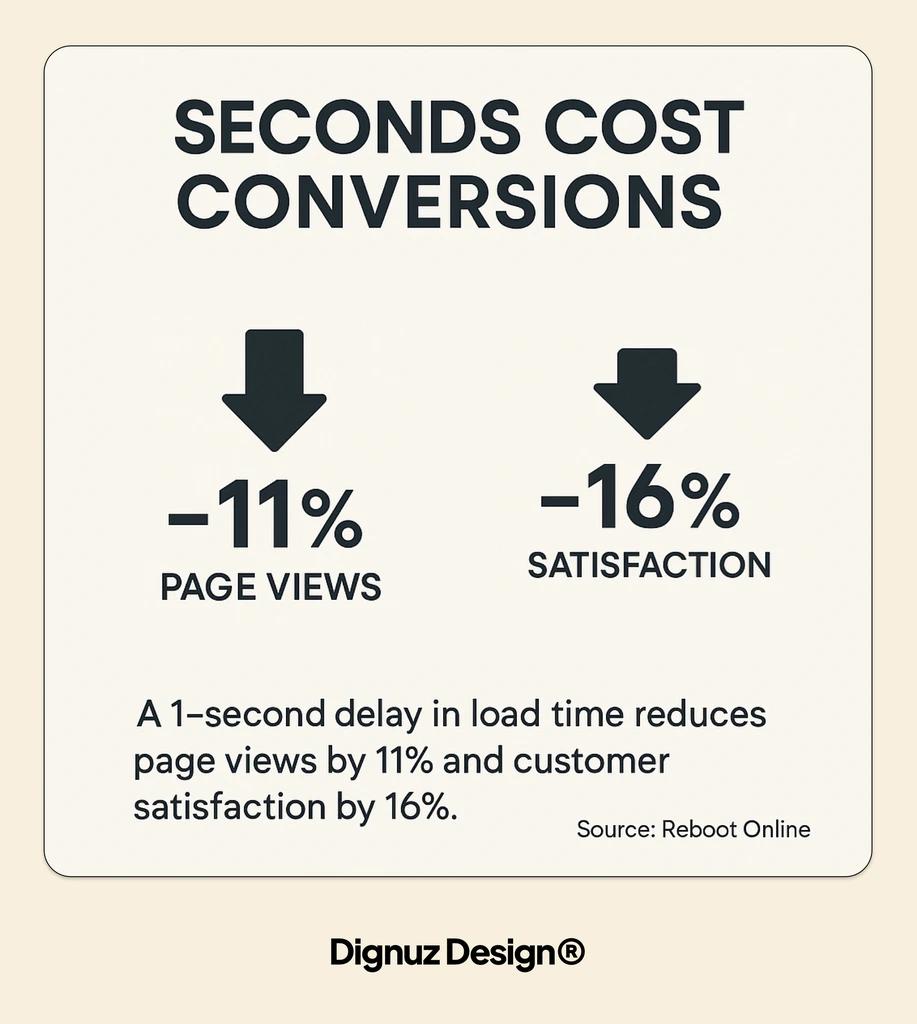
Open the network tab on almost any live property site and most of the weight is not the design agency's code. It is the third parties. Google Maps, IDX feeds, MLS plugins, chat widgets, analytics, heatmap tools, A/B testing frameworks, cookie banners. On a typical estate agent website I audit I find between six and fifteen third-party scripts, with a combined weight often exceeding the site's own bundle.
Google Maps is the cleanest example. If you are showing one pin on a map in the "location" section of a listing, you do not need the full interactive Maps JavaScript API. You need a static map image with a marker, which is a single HTTP request and no JavaScript at all. Interactive Maps costs roughly 600 KB of JavaScript and several subsequent tile requests. Switch to a static image until the user clicks, then upgrade to the interactive version. Nobody notices the difference except the phone's battery.
IDX and MLS integrations are harder, because many property companies genuinely depend on them, and the providers rarely prioritise payload size. The practical rule is to defer the IDX script until the user scrolls to the section that uses it, and to never put IDX widgets above the fold on a landing page. If the IDX search bar is your hero, you have already lost the page speed argument before the first image loaded.
Chat widgets are another place where defaults ruin pages. Intercom, Drift, Tawk, and HubSpot Chat all load by default on page view. For a developer-facing site that gets a thousand visits a day and converts three of them through chat, the other 997 visits carry a 300 to 600 KB penalty for nothing. Load the chat widget on idle, or on a scripted trigger like "user has been on the page for twelve seconds and scrolled past the gallery", not on initial page load. Building on a Jamstack architecture for property developer websites makes this kind of discipline much easier to enforce, because the baseline bundle is small and the third parties stand out in the waterfall immediately.
Fonts, CLS, and the hero shift that makes a luxury site feel cheap
Cumulative Layout Shift is the least dramatic of the three vitals, and on a luxury property site it is the most damaging. A buyer who is deciding whether a ten-million-pound Mayfair flat is worth a viewing is making that decision partly on the feel of the first two seconds of the website. If the headline text jumps down eighty pixels when the hero image arrives, or the body font swaps with a visible reflow halfway through reading the first paragraph, the site has communicated something about the developer's attention to detail, regardless of what the copy says.
The fixes are well understood and cheap to apply. Every image carries explicit width and height attributes, or an explicit aspect-ratio CSS rule, so that the browser reserves the correct space before the image arrives. Fonts are loaded with font-display: optional or swap combined with size-adjust metrics tuned to the fallback, so that the reflow between system font and web font is visually close to zero. Video headers have a poster frame of the correct dimensions baked in, so the autoplay video slides in without disturbing layout.
This is the cheapest class of fix in performance work. It costs almost nothing in time and delivers a disproportionate improvement in how the site feels. For context on why this matters specifically in the high-end segment, I have written about luxury real estate web design and the way perceived quality is built from details the buyer is not consciously noticing. Layout stability is one of those details.
Edge delivery is no longer optional for international property
Real estate is increasingly an international asset class. A Lisbon developer selling a villa does so to buyers in London, Dubai, Singapore, and New York. A Dublin scheme is being bought by Americans working in tech. A Cannes apartment is being bought by anyone on the planet with a capital account. Your hosting geography matters because your buyer is not standing next to your server.
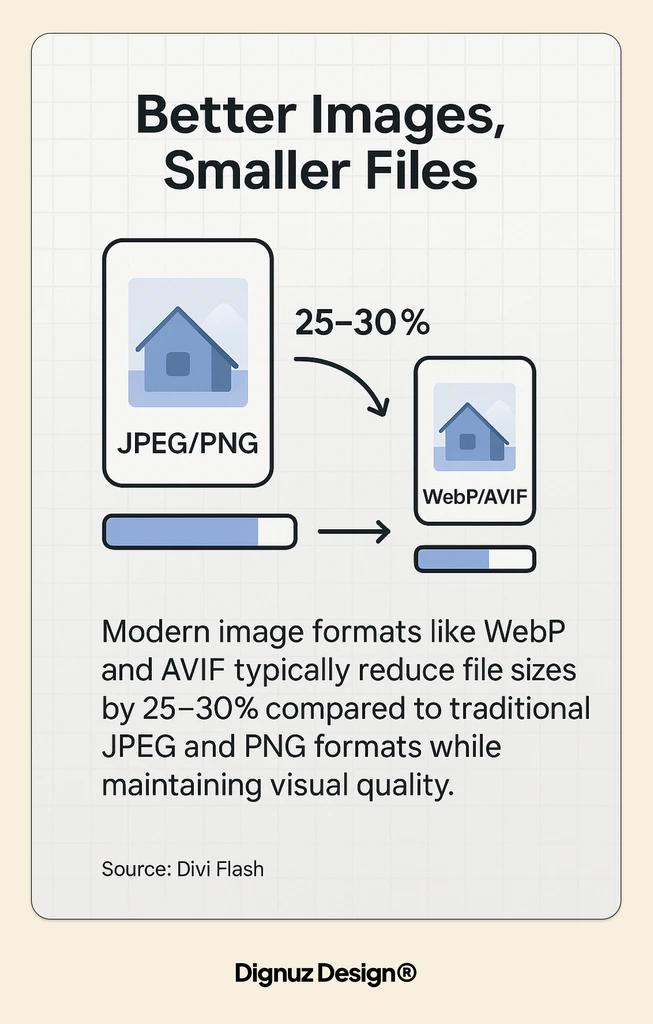
A traditional hosting setup puts your site in one data centre. A buyer in Singapore opening a Portuguese property site is paying a 300 millisecond round trip for every asset, which on a page with 80 assets stacks up to an unusable experience. The cure is edge hosting. Cloudflare, Vercel Edge, Netlify Edge, and similar platforms serve your static assets from data centres close to the buyer, which turns that 300 millisecond penalty into something closer to 20. Cloudflare's free tier alone gives global points of presence, automatic image optimisation through Polish and Mirage, and Brotli compression for text assets, which is more than most paid shared hosts offer.
If a property is targeting international buyers and is being hosted from a single European or US server, that is a performance problem before any image has been touched. It is also a problem that is invisible in Lighthouse, because Lighthouse runs from one location and does not see the global reality.
The workflow I actually apply to a slow property site
When a client hands me a slow real estate website, I do not start with tooling. I start with a real device. I open the site on my phone, on a deliberately throttled connection, standing away from the wifi. I watch what happens. I pay attention to what appears first, what stutters, what never appears, and what makes me want to close the tab. That five minute exercise tells me more about the page than any automated audit.
Then I run Lighthouse on mobile and pull the field data from Chrome User Experience Report through PageSpeed Insights. The lab number is useful, but the field number is what Google actually uses for ranking and what real users actually experience. Where the two diverge, I trust the field number.
Then I open the network waterfall. I identify the LCP element, which is nine times out of ten a hero image. I look at its weight, its format, its dimensions, and whether it is preloaded. I count the third party scripts, order them by size, and ask whether any of them load code the user never uses. I look for unsized images, for fonts that are late, for render-blocking CSS, and for JavaScript that is executing before the user can see the hero.
From that audit, the fixes almost always land in the same order. Cut the image weight by 70 percent with modern formats and correct sizing. Lazy-mount the gallery, the floor plan switcher, and the virtual tour. Defer the third-party scripts that are not needed above the fold. Stabilise the fonts and reserve image space. Move to edge hosting if the audience is international. Each of those is a change measured in hours, not weeks. The compounding effect is usually the difference between an LCP of 6 seconds and an LCP of 1.6 seconds, which is the boundary between a site Google treats as slow and one it treats as fast.
A complete redesign, which the generic guides list as the final priority tier, is almost never the right answer. Most property sites have enough good material that a targeted performance pass outperforms a rebuild in both cost and timeline. The real estate web page design conversion guide covers the related question of how to structure the page for conversion once it actually loads.
What performance is worth, in money
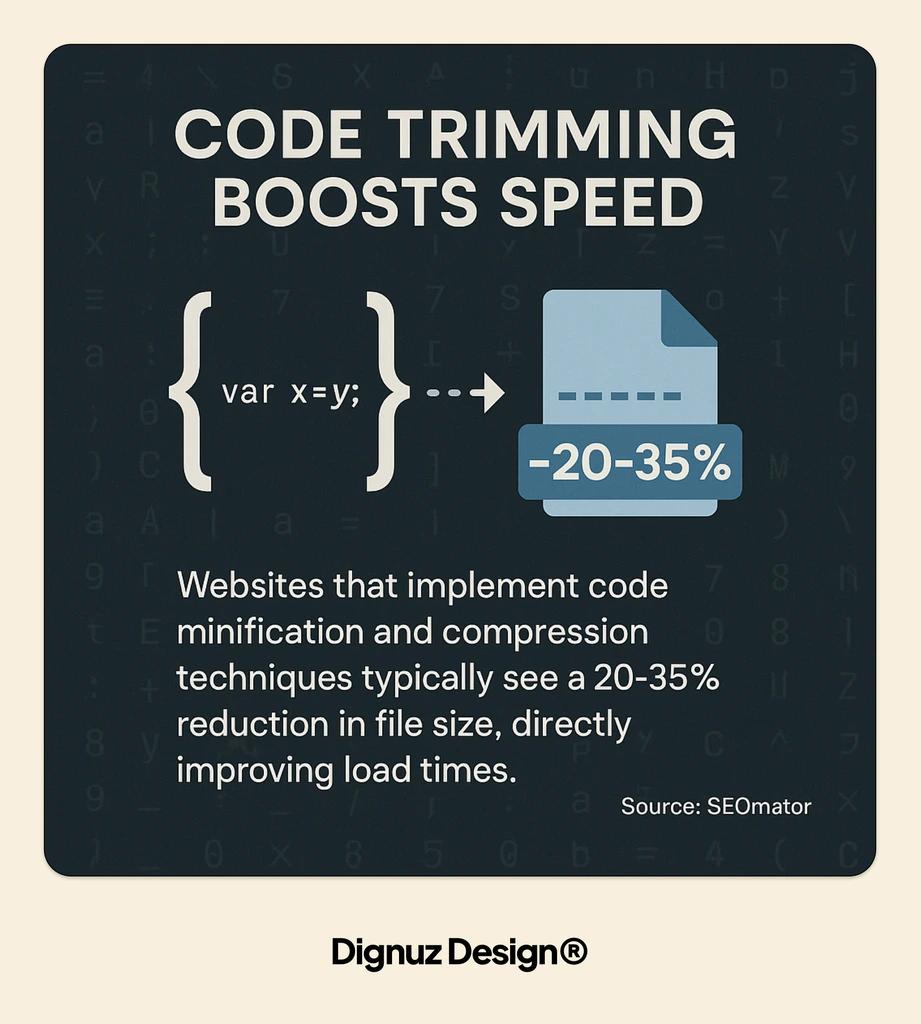
This part is where generic guides reach for the same recycled statistic about a one-second delay reducing conversions by some percentage. I want to be more grounded than that.
The National Association of Realtors' 2024 Profile of Home Buyers and Sellers found that 96 percent of buyers use online tools during their property search, and that the most valuable content for buyers on a real estate website is photos (41 percent), detailed property information (39 percent), and floor plans (31 percent). What that means for performance is simple. If the photos do not load quickly on a phone, the most valuable part of your site has failed to deliver its value. Everything else that the site does well, the brand, the copy, the architecture, is being evaluated through that failure.
Buyer behaviour on a property site is also more patient than on, say, a retail site. A buyer will wait longer for a listing to load than they will wait for a t-shirt to load, because the decision is more consequential. But the waiting is not free. It eats into the emotional energy the buyer was going to spend on the property itself, and it replaces curiosity with irritation. By the time the site is ready to sell, the buyer is ready to leave.
That is the real argument for performance on a property site. It is not a SEO argument, although SEO benefits follow. It is a sales argument. Your site is either the thing that converts interest into a viewing, or the thing that drains it.
Frequently asked questions
How fast should a real estate website load?
Aim for an LCP of under 2.5 seconds on mobile with a typical 4G connection, measured as field data rather than on a laboratory machine. That is the threshold Google treats as "good", and it is also the threshold below which most buyers stop noticing the wait. Most property sites I audit start at between 5 and 9 seconds, and most can be brought to under 2.5 in a focused week of work.
Is a Webflow site fast enough for luxury real estate?
Yes, with care. Webflow has matured significantly and its hosting is competent for international traffic, but Webflow sites can still be slow if the designer has not paid attention to image sizing, interaction weight, and third-party embeds. I regularly build fast Webflow property sites, and I regularly audit slow ones. The platform is not the constraint. The discipline around images, galleries, and embeds is.
Do virtual tours ruin page speed?
Not if they are mounted correctly. A virtual tour iframe loaded eagerly will damage your Core Web Vitals. The same tour, mounted behind a poster frame and a click, has essentially zero cost to your page speed and adds a significant conversion lift for interested buyers. The practical rule is to treat tours as on-demand content, not as part of the initial page load.
What Core Web Vitals score does Google expect from a real estate site?
Google does not score by sector. The thresholds are LCP under 2.5 seconds, INP under 200 milliseconds, and CLS under 0.1, across the 75th percentile of real user sessions. Real estate sites tend to underperform on LCP because of image weight and on INP because of heavy galleries and map widgets, so those are the two metrics worth prioritising.
Does switching images to WebP or AVIF really make a difference?
Yes, and it is one of the highest return changes available. AVIF typically reduces file size by 50 percent versus a well-compressed JPEG at equivalent quality, and WebP by 25 to 35 percent. On a property page where images are the bulk of the payload, that is the difference between a pleasant load and a painful one. The change is safe, because browsers that do not support the newer formats can fall back through the <picture> element.
Should I use a CDN or just a faster host?
A CDN, in almost every case. A faster host reduces latency from its single location. A CDN reduces latency from wherever your buyer is sitting, which is the measurement that actually affects them. For property sites serving an international audience, edge delivery is more valuable than raw server power. For a purely local audience, either approach can work, but the CDN still wins on caching efficiency and on resilience under traffic spikes.




