How to Learn to Code by Shipping Real Projects

The standard "learn to code" pipeline goes like this. Pick a language. Find a course. Complete the course. Start a portfolio. Look for a job. The problem with this pipeline is that completing a course does not teach you to code. It teaches you to complete a course. The first time you sit in front of an empty file with no instructions, no green checkmark waiting, no curriculum telling you what comes next, you freeze. And freezing in front of an empty file is roughly 80% of what a working developer does for a living, so the gap between "finished the course" and "can code" is not small. It is the whole job.
I am Dimitri. I run DignuzDesign, a studio that builds custom websites for real estate companies, architects, and property developers, and Faraday3D, a 3D visualisation studio for the same kind of clients. I also build and run two products of my own: AmplyDigest, a service that summarises a person's newsletters and YouTube subscriptions into one morning email, and AmplyViewer, an interactive 3D property viewer that embeds into real estate websites. I did not learn to code through a curriculum. I learned because I needed to ship a thing, the thing had blockers, and the only way past each blocker was to learn the next piece. That is the path I would still pick today, and this article is the advice I would give a beginner who has read three other "learn to code" guides and is more confused than when they started.
The Real Question Is Not Which Language
Most articles like this open by asking which programming language you should learn first. It is the wrong opening question. The right opening question is: what do you want the code to do? "Become a developer" is not an answer. It is a destination without a route. "Build a website for my consulting practice that I can update without paying someone $200 an hour" is an answer. "Automate the spreadsheet my team rebuilds every Monday" is an answer. "Make a small tool that takes my saved Pocket articles and emails them to me weekly" is an answer. These are answers because each of them tells you what your first three months should look like.
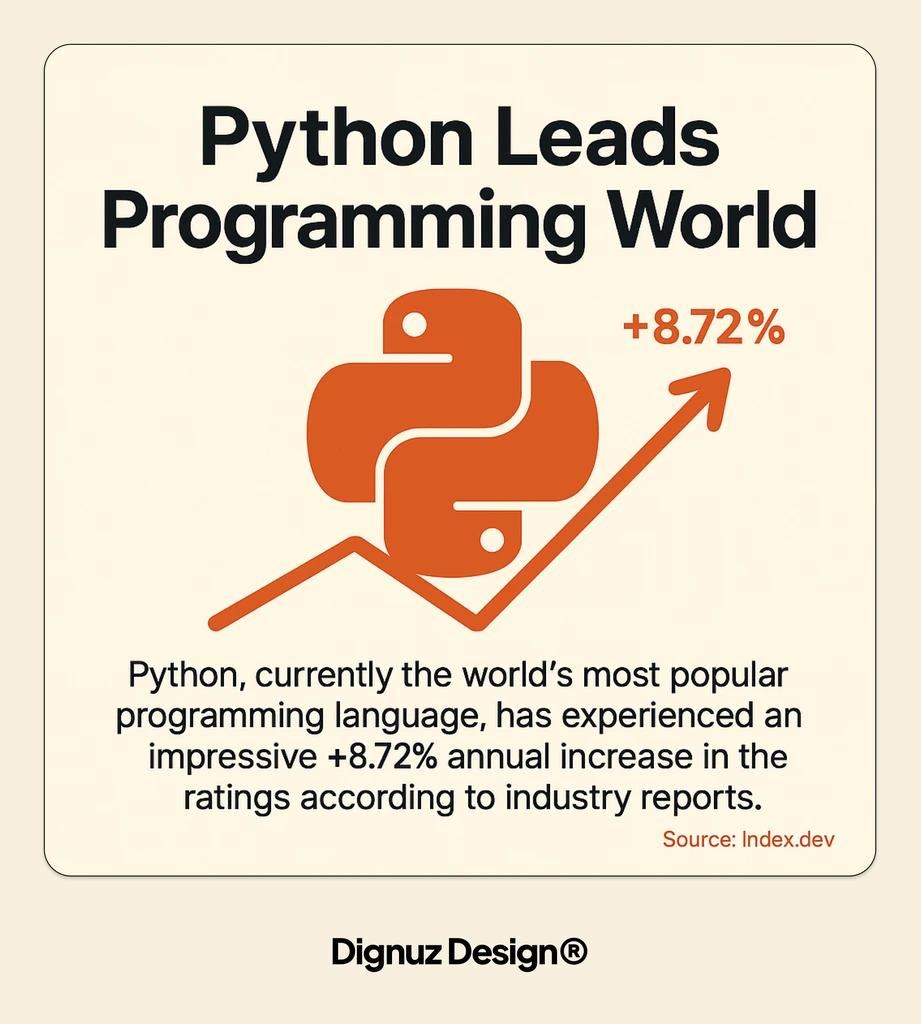
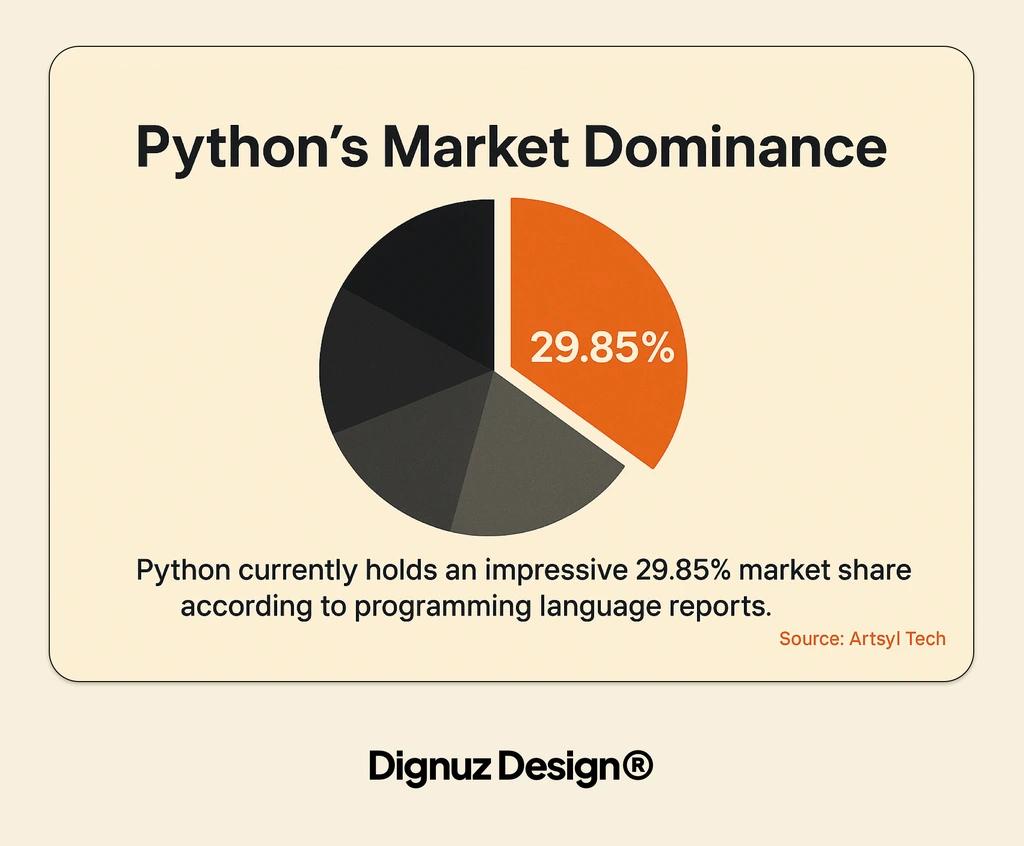
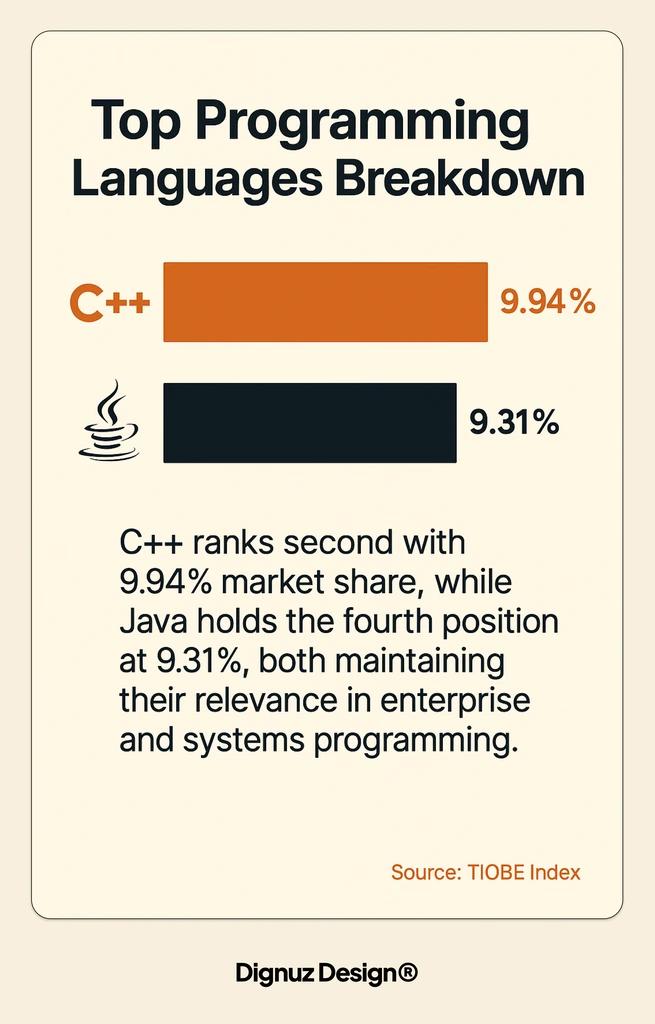
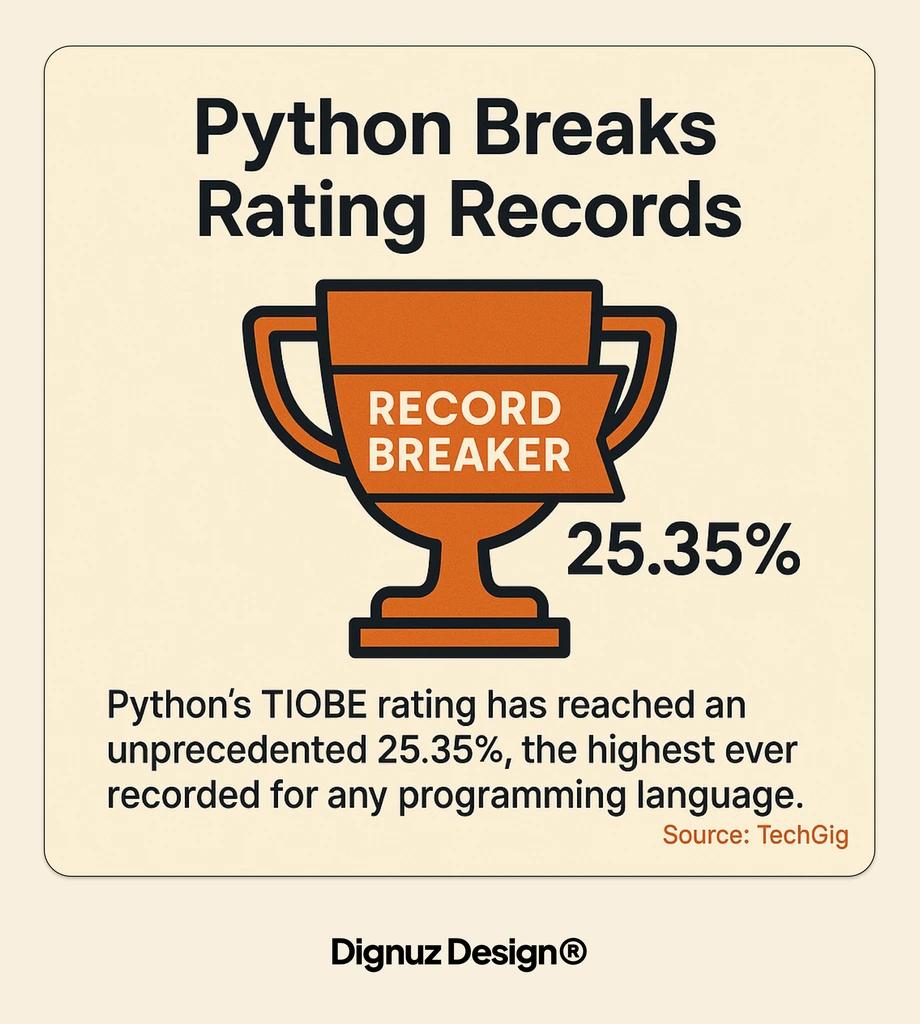
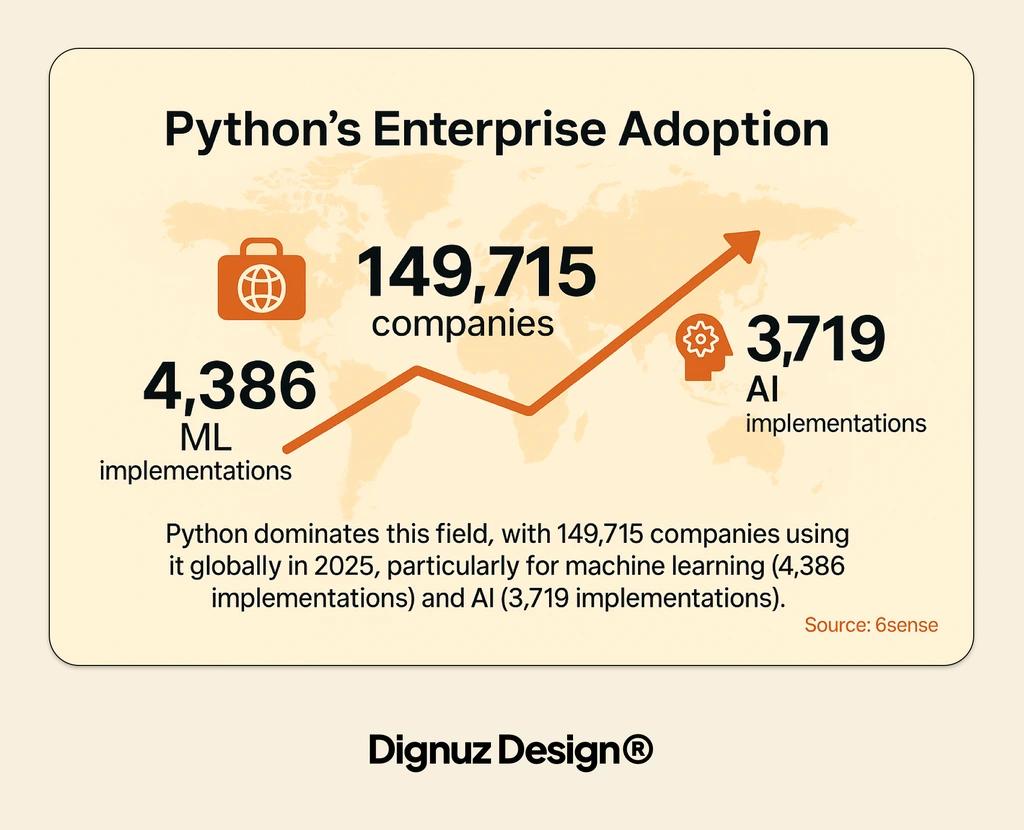
The reason this matters is that the language decision is genuinely downstream of the project decision, and people who put it first end up paralysed. The 2025 Stack Overflow Developer Survey reports JavaScript, Python, HTML/CSS, and SQL as the most used technologies among working developers, with Python's adoption accelerating sharply on the back of AI and data work. That ranking is useful information once you know what you want to build. It is paralysing if you do not. JavaScript is the right first language if you want to build a website. Python is the right first language if you want to automate a spreadsheet or work with data. Swift is the right first language if you want to build an iOS app and have no interest in anything else. Treat the "most popular language" lists as a tie-breaker, not a starting point.
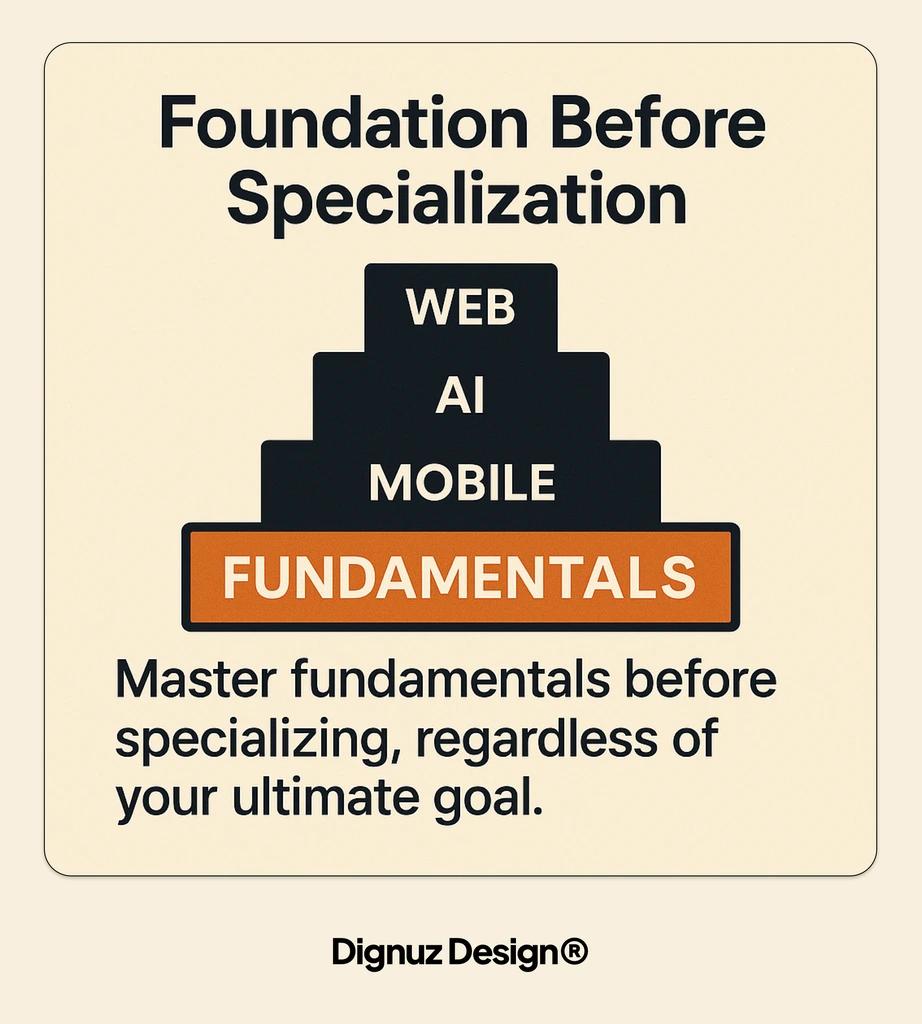
If you genuinely have no preference for what you want to build, default to web. The web is the cheapest place to ship anything to anyone with a URL, the toolchain is free, the feedback loop is fast, and the skills carry to most other domains. That means HTML, CSS, and JavaScript, in roughly that order, and I have written separately about how I would pick a first programming language if you want the longer version of that argument.
Pick the Project Before You Pick the Course
Once you have a real project, the question of which course to take answers itself. You search for the parts you need. You read the documentation for the language. You build the smallest possible version of the thing that does anything at all, then you make it less embarrassing one piece at a time. Courses are useful in this model, but only as on-demand references, not as a curriculum you complete from beginning to end.
There are two free resources I would genuinely recommend over the paid alternatives for a beginner doing web work. The MDN learn area from Mozilla is the canonical reference for HTML, CSS, and JavaScript and is written by the same people who write the browser specs. It is dense, accurate, and free, and it will outlast every YouTube course that gets uploaded this year. The second is The Odin Project, a free, open-source full-stack curriculum that, unlike most beginner programs, throws you into a real developer environment from the start. You install Git, you use VS Code, you read errors from your actual terminal. That sounds intimidating because it is, but the intimidation is the point. The skill being trained is not "can you write a for-loop." It is "can you survive in the conditions a working developer actually works in." Hand-holding platforms do not train this skill. The Odin Project does, and a senior developer's review of the curriculum I trust calls it closer to apprenticeship than tutorial, which matches my own observation of people who have come through it.
I would skip paid bootcamps unless you have specific evidence that one in your city has placed people into the kinds of jobs you want. The marketing is uniform; the outcomes are not. A career-changer paying $15,000 for a three-month program needs to verify the placement claims with at least five graduates from cohorts more than a year old, not from the bootcamp's own marketing site. If you cannot find those graduates on LinkedIn working in real developer roles, that is the answer.
A Starter Stack for Shipping a Real Website
If your first project is a website, which is what I would suggest for most people, here is the smallest stack I would use today as someone who ships these things for a living:
- HTML and CSS, learned directly from MDN, not from a framework first. Knowing what the browser does without help makes everything else make sense.
- JavaScript, learned slowly. Variables, functions, arrays, objects, fetch, the DOM, and async/await are enough to start.
- Git, from the first day. Commit small, commit often, push to GitHub. Your commit history is your study log.
- A code editor. VS Code is fine and free. Stop researching editors and write something in it.
- A real framework when you have an actual problem to solve with one. For most beginner projects, plain HTML and CSS is more than enough. When you need pages, components, and content management, Astro is the gentlest path I have found into modern web development.
- A free host. Cloudflare Pages and Netlify both deploy a static site from a GitHub repo in two clicks. The deployment moment is when a beginner becomes a developer. Skipping it is the most common mistake.
That is the only list in this article, and it is here because the stack genuinely matters. Most "learn to code" guides give you twenty resources and zero opinions. The list above is one opinion, and following it for three months will get you further than reading twenty more guides.
What Tutorials Cannot Teach You
Tutorials teach the parts of programming that are easy to write down. Syntax, common patterns, the names of things. The parts of programming that actually take time to learn are the ones tutorials cannot reach. I will name three of them, because once you can name them you can practise them on purpose.
Reading errors. A beginner sees a red error message and feels panic. A working developer sees the same red error message and reads it. There is a real skill in pausing on the word "TypeError" and noticing whether it says "is not a function" or "Cannot read property of undefined", because the second one is almost always a missing or wrongly named variable, and the first one is almost always a wrong import. You do not learn this from a course. You learn it from generating thousands of your own errors and slowly building the habit of reading them before reacting.
Reading code you did not write. The single largest jump in my own development was the moment I started reading the source code of small open-source packages I was using. Not all of it. Just the file the bug seemed to be in. Most beginner courses present code as a thing you write from scratch with the help of an instructor. In real work, code is a thing you inherit, read, and modify, and the muscle for doing that is built by deliberately picking small repositories and trying to follow how they work.
Knowing when to stop. Beginners over-engineer everything because they have read about every pattern and want to use them all. Working developers ship the boring version and only reach for a pattern when there is a concrete reason. This is the hardest one to teach, and the one that separates someone who has built three real things from someone who has finished thirty tutorials.
Your First Project Should Be Embarrassing
The first website I built for a real client was embarrassing. I look at it now and can see six things I would do differently in the first hour, before I even opened the design file. That is the correct outcome. The point of the first project is not to be good. It is to be done. A finished embarrassing project teaches you more than a perfect project you never ship, because finishing is itself the skill being trained.
The trap to avoid is the project that grows in scope while you are learning. You start with a simple recipe website. By week three, you have decided it needs user accounts, a comment system, and a mobile app. None of these exist. The site does not exist either, because you spent three weeks researching mobile frameworks. The discipline is to write down the smallest possible version of the project, ship that version, and only then decide whether the next version is worth building. Most of the time it is not. You will move on to a different project, and that is fine, because the first one taught you what you needed to know.
The Path I Would Take If I Were Starting Today
If I were a complete beginner today with an interest in web work, this is the path I would take, and it is roughly the path I wish I had been pointed at when I started. Two weeks on HTML and CSS through MDN, with the goal of building a single-page personal site by the end. One month on JavaScript fundamentals, working through The Odin Project's foundations course while building small interactive features into that personal site. Six weeks on a slightly more ambitious project of my own choosing - the one that is actually motivating me, not the one a curriculum suggests - using a framework like Astro to give it structure. Throughout, every project pushed to a GitHub repository and deployed publicly to Cloudflare Pages.
By the end of three months on that schedule, you have a small personal site, a slightly larger project that solves a real problem, public GitHub repositories with commit histories, deployed URLs, and the experience of having debugged your own mistakes without an instructor present. That is more than most six-month bootcamp graduates can show, because what you have built is genuinely yours and you can talk about every decision in it. The portfolio piece that gets people hired is not the project itself. It is the ability to explain why you made the choices you made, and the only way to develop that ability is to make the choices yourself.
Whatever you build will run into limits eventually. When it does, that is the moment to learn the next thing. A site that gets slow teaches you about performance. A site that needs a contact form teaches you about backends. A site that needs to update product listings teaches you about content management. Each new requirement is a curriculum nominated by your actual project, which is more reliable than any curriculum nominated by a course author who does not know what you want to build.
Top Resources for Learning to Code
Quality resources accelerate your learning journey. With thousands of coding resources available, knowing which ones offer the best value for your time and money becomes crucial to efficient progress.
For those interested in web development, learning platforms for Webflow integrations can provide specialized knowledge that bridges the gap between coding fundamentals and practical website creation skills.
Online Learning Platforms
Comprehensive coding platforms offer structured paths. Sites like freeCodeCamp, Codecademy, and The Odin Project provide carefully sequenced lessons that build skills progressively from beginner to advanced levels.
Video course platforms contain vast programming libraries. Udemy, Pluralsight, and LinkedIn Learning host thousands of video courses covering every programming language and development topic imaginable.
University-affiliated options provide academic rigor. Platforms like edX and Coursera offer programming courses from prestigious universities, often with certificates upon completion.
Free vs. Paid Resources
Free resources have improved dramatically in quality. Many open-source learning platforms now offer instruction comparable to paid alternatives, making cost less of a barrier to entry than in previous years.
Paid courses often include additional support. Access to instructors, personalized feedback, and dedicated Q&A forums typically justify the cost for learners who benefit from more guidance.
Strategic combination yields best results. Many successful learners use free resources for fundamental concepts, then invest in paid courses for advanced topics or specialized fields.
Interactive Coding Environments
Browser-based IDEs remove setup barriers. Tools like Replit, CodePen, and JSFiddle let beginners write and run code without installing software, making it easier to start practicing immediately.
Coding challenge sites gamify learning. Platforms such as LeetCode, HackerRank, and Codewars present programming problems of increasing difficulty, helping build problem-solving skills through practice.
Project-based platforms promote application. Sites like Glitch allow you to build and deploy real web applications directly from your browser, seeing your code work in real-world contexts.
Community Support and Forums
Developer communities provide invaluable assistance. When you encounter difficult concepts or bugs, communities like Stack Overflow, Reddit's r/learnprogramming, and Discord coding servers offer help from experienced programmers.
Local meetups connect you with peers. Many cities host programming meetups where you can learn alongside others, work on projects together, and build your professional network.
Open source projects offer practical experience. Contributing to open source gives you exposure to real-world codebases and collaboration workflows while building your portfolio.
Interactive Platforms
- Top Options: freeCodeCamp, Codecademy, Scrimba
- Best Features: In-browser coding, immediate feedback
- Ideal User: Beginners who learn by doing
Video Courses
- Top Options: Udemy, Pluralsight, YouTube
- Best Features: Visual demonstrations, comprehensive coverage
- Ideal User: Visual learners who prefer watching experts
Documentation
- Top Options: MDN Web Docs, Python.org, W3Schools
- Best Features: Authoritative reference, detailed explanations
- Ideal User: Self-directed learners who prefer reading
Community Forums
- Top Options: Stack Overflow, Reddit, Discord
- Best Features: Personalized help, networking opportunities
- Ideal User: Learners who benefit from discussion
This resource matrix helps identify which tools best match your learning preferences. Experimenting with different resource types often leads to discovering what works best for your personal learning style.
Staying Motivated Through Difficult Concepts
Plateaus occur in every learning journey. Periods where progress seems to stall are normal and temporary, not indications of personal limitation or failure.
Community connection maintains motivation. Sharing challenges with fellow learners provides emotional support, practical solutions, and perspective during difficult phases.
Small wins build momentum. Breaking difficult concepts into smaller parts and celebrating progress on each component helps maintain motivation through complex topics.
Finding Help When Stuck
Learning to ask effective questions is crucial. Providing context, explaining what you've already tried, and sharing relevant code snippets helps others provide useful assistance.
Multiple resources offer different explanations. If one tutorial or explanation doesn't make sense, try another source that might present the concept in a way that clicks with your learning style.
Rubber duck debugging often solves problems. Explaining your code line by line to an imaginary listener (or rubber duck) frequently helps you identify issues without external help.
- Before asking for help: Try to solve the problem independently for at least 20-30 minutes
- When searching online: Use specific error messages and include language/framework names
- When posting questions: Show your code, explain what you've tried, and be specific about your goal
- After receiving help: Document the solution for future reference
These practices help you develop self-sufficiency while making the most of community resources when truly needed. The ability to find answers independently is a core programming skill.
Next Steps After Mastering the Basics
Continued growth requires deliberate practice. Once you've mastered programming fundamentals, strategic next steps help you develop from competent beginner to proficient developer. This progression typically involves both broadening and deepening your skills.
What makes a real estate professional stand out often includes technical skills like custom website development, and similarly, what distinguishes exceptional developers is their willingness to continuously expand their knowledge beyond basics.
Advanced Topics to Explore
Software architecture principles improve code quality. Learning design patterns, SOLID principles, and system architecture helps you create more maintainable, scalable applications beyond simple scripts.
Testing methodologies ensure code reliability. Mastering unit testing, integration testing, and test-driven development transforms you from someone who can write code to someone who can write dependable, production-quality code.
DevOps knowledge completes the development lifecycle. Understanding deployment, continuous integration, and infrastructure management helps you deliver working software to users, not just write code locally.
Joining the Developer Community
Contributing to open source builds credibility. Active participation in public projects demonstrates your abilities while providing valuable experience in team-based development processes.
Attending industry events expands your network. Conferences, meetups, and hackathons connect you with potential mentors, collaborators, and employers while exposing you to new ideas and approaches.
Online presence establishes professional identity. Creating technical blog posts, answering questions on forums, or sharing code samples helps build your reputation within the developer community.
Continuing Education in Programming
Specialized certification demonstrates expertise. Industry certifications in specific technologies or methodologies can validate your skills and knowledge for employers or clients.
Advanced degrees open research opportunities. For those interested in computer science theory, machine learning, or other cutting-edge fields, graduate education provides depth not typically covered in self-directed learning.
Mentorship accelerates professional growth. Finding experienced developers willing to provide guidance helps you avoid common pitfalls and develop career-advancing skills more efficiently.
- Weekly practice: Solve coding challenges on platforms like LeetCode or HackerRank
- Monthly learning: Explore one new technology or framework
- Quarterly projects: Build one substantial application that stretches your abilities
- Annual reflection: Review your progress and adjust your learning plan
This structured approach to continuous learning ensures you remain current in a rapidly evolving field. Balancing breadth and depth keeps your skills relevant and marketable.

Frequently Asked Questions
How long does it actually take to learn to code well enough to get hired?
Honestly, twelve to eighteen months of consistent work for someone starting from zero with no related background. Bootcamps that promise three months are selling the floor of what is possible for unusually committed full-time learners; most graduates take additional months after the bootcamp to find work. The faster you can connect what you are learning to a real shippable project, the closer to the floor of that range you will be.
Do I need a computer science degree to be a developer?
No. Most employers in web and product development hire on portfolio and interview performance, not on degree. A computer science degree is useful if you want to work on systems programming, machine learning research, or large-scale distributed systems where the theoretical foundations show up daily. For building websites, web apps, and most product engineering, the degree is not a gatekeeper.
Should I learn Python or JavaScript first?
Pick by what you want to build, not by which is "easier." JavaScript if you want to build websites or web apps, because it runs in the browser and the feedback loop is the fastest in programming. Python if you want to automate something, work with data, or build any kind of tool that reads files and produces output. The languages have more in common than they have differences, and the second one takes a fraction of the time the first one took.
Are AI coding assistants making it harder or easier to learn?
Both, depending on how you use them. If you let an assistant write the code for you and accept the output without understanding it, you will learn nothing and ship code you cannot maintain. If you write the code first and use an assistant as a senior developer you can ask questions, you will learn faster than any previous generation of beginners could. The discipline is to never accept code you cannot explain line by line.
Is it worth paying for a coding bootcamp?
Sometimes, but only after you have verified the outcomes independently. Find five graduates from cohorts older than one year on LinkedIn and check whether they are working in the kinds of roles the bootcamp advertised. If they are, the program has earned the price. If most of them are in unrelated work or are still job-hunting, the marketing is doing more work than the curriculum.
Do I need to learn data structures and algorithms?
Eventually, yes, but not first. The classic algorithms curriculum is over-emphasised for beginners because it dominates the technical interview at large companies. For your first year, focus on building things that work. Algorithms become genuinely useful when you have a real performance problem in a real project, and at that point you will learn the specific algorithm you need much faster than you would in the abstract.



